 WhatsApp Us Now

Creating strong and unique passwords for multiple online accounts can be time-consuming and frustrating. Reusing the same password across different platforms can also put your personal information at risk. Browser-based password generators offer a simple way to create secure passwords without installing additional software. They work in any web browser, and many let you generate passwords in bulk instead of inventing each one yourself. Weak, short, or reused passwords are among the easiest ways for attackers to get into an account, so a quick, reliable way to create better ones matters. Password Generator Tools is one example of this kind of resource.
What Is a Browser-Based Password Generator?
A browser-based password generator is a tool you use directly in a web browser. You open a page, choose your settings, and the tool builds random, unique passwords on the spot.
Because it runs on a web page, you usually do not need to download or install anything. Installed software, by contrast, has to be set up on each device and kept updated. A browser tool works wherever you have a browser, which makes it a lighter and more flexible option. It also does the hard part for you: picking characters at random so the result has no pattern.
What Are the Main Benefits of Browser-Based Password Generators?
Here is what makes them useful:
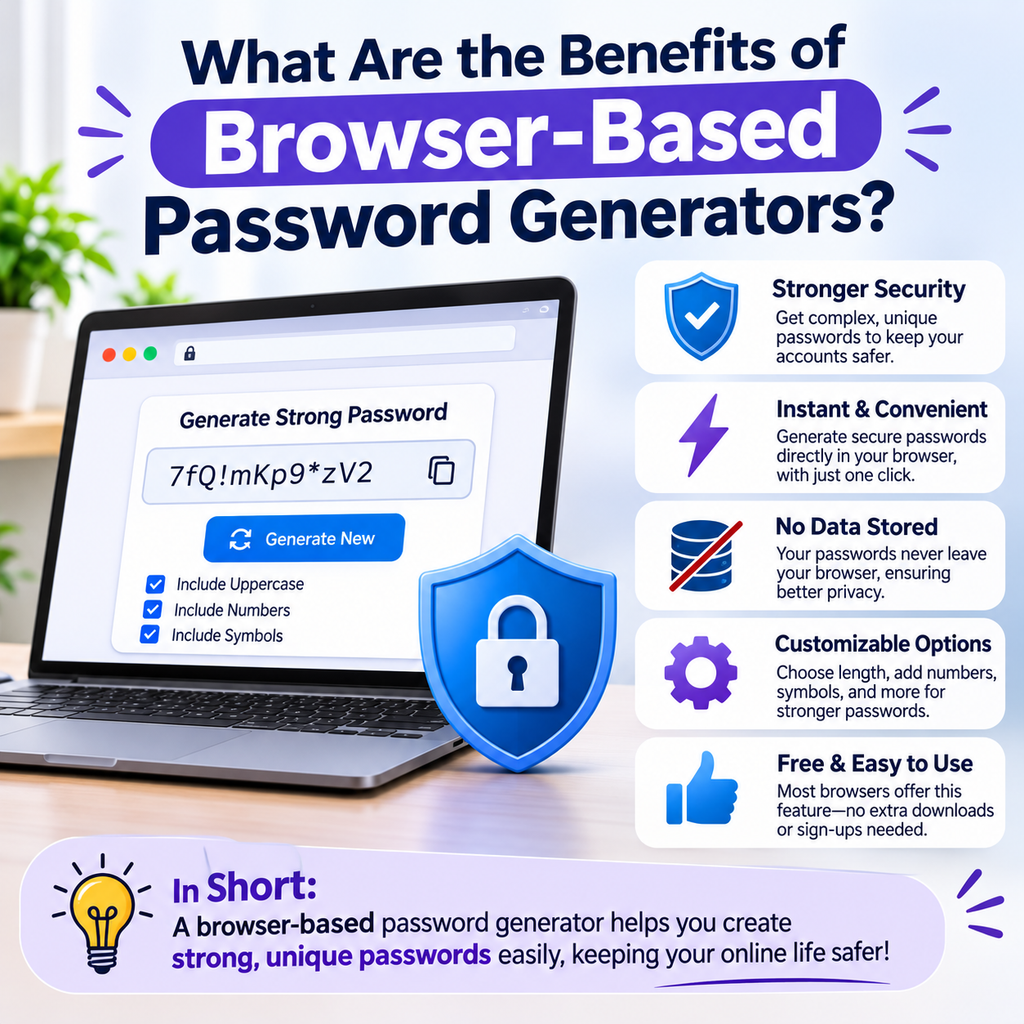
- Easy accessibility: generate passwords from a phone, tablet, or computer using only a browser.
- No installation required: there is no extra application to download.
- Time-saving: you can create many passwords quickly, and some tools let you generate passwords in bulk in a single step.
- Improved password security: a good generator builds complex mixes of letters, numbers, and symbols that people rarely invent by hand.
- Convenience: the tool is there whenever you need a new password.
- Cost-effective: many browser-based generators are free.
For one-off needs, our online password generator covers the basics in a few clicks.
How Does a Bulk Password Generator Work?
The process is simple:
- Open a browser-based password generator.
- Select the required password length.
- Choose uppercase letters, lowercase letters, numbers, and special characters.
- Enter the number of passwords you need.
- Generate multiple random passwords.
- Copy and securely store the results.
Each password comes from random choices, so no two are alike. You can adjust the settings to match a site’s rules, such as a required symbol. That means you can generate passwords in bulk without creating them manually, which saves effort and avoids the patterns people fall into. You can try this with our Bulk Password Generator.
How to Generate Random Passwords Securely
Good habits matter as much as a good tool:
- Mix uppercase and lowercase letters.
- Include numbers and special characters.
- Choose a suitable length, such as 14 characters or more.
- Avoid predictable words and personal information.
- Use a different password for every account.
- Store passwords in a trusted password manager.
Choose a generator that uses secure random-number generation and clearly explains how passwords are handled. Modern browsers include a built-in source of cryptographically strong random values, described in MDN’s Web Crypto documentation. Our guide to creating unique passwords for every account explains why uniqueness matters so much.
How to Generate 10 Strong Passwords at Once
Setting up several accounts at once? Here is how to do it efficiently:
- Visit the Bulk Password Generator.
- Select the required password settings.
- Set the password quantity to 10.
- Generate the passwords.
- Review and copy the passwords.
- Store them securely.
This saves time when you are creating passwords for a new device, a new job, or several apps, and it takes about a minute. Give every account its own password from the list.
Why Choose Password Generator Tools?
The site offers free online password-generation features in a simple, user-friendly interface. You get options for building strong passwords, and you can use them without installing extra software. The tools are designed to help you improve your password security, whether you need a single password or a full set, and they are easy for beginners to use.
Whichever tool you pick, store what it creates carefully. Read our advice on online account security best practices, and turn on multi-factor authentication where you can. CISA explains that this extra step helps protect an account even if a password is stolen.
Conclusion
Browser-based password generators make it easier to create strong, unique passwords without installing additional software. Whether you need one password or several at once, choosing a reliable generator can simplify password creation and support better online security. Explore Password Generator Tools to create secure passwords conveniently, or contact us with questions.
Frequently Asked Questions
What is a browser-based password generator?
It is a tool that creates random passwords directly in your web browser, so you can use it without downloading or installing software.
Are browser-based password generators safe to use?
They can be. Look for secure random generation, a site that uses HTTPS, and clear privacy practices. Stick with trustworthy tools, and remember that no tool guarantees complete security.
Can I generate multiple passwords at once?
Yes. Bulk generation creates several passwords in one step, which saves time when setting up passwords for multiple accounts.
How does a bulk password generator work?
You choose the password length, character types, and quantity. The tool then generates that many random passwords automatically.
How can I generate random passwords securely?
Knowing how to generate random passwords securely comes down to length, character variety, true randomness, and never reusing a password. Use a reliable generator.
Can I generate 10 strong passwords at once for free?
Yes. Here is how to generate 10 strong passwords at once for free: use an online bulk password generator, set the quantity to 10, and choose your length and character options.


