 WhatsApp Us Now

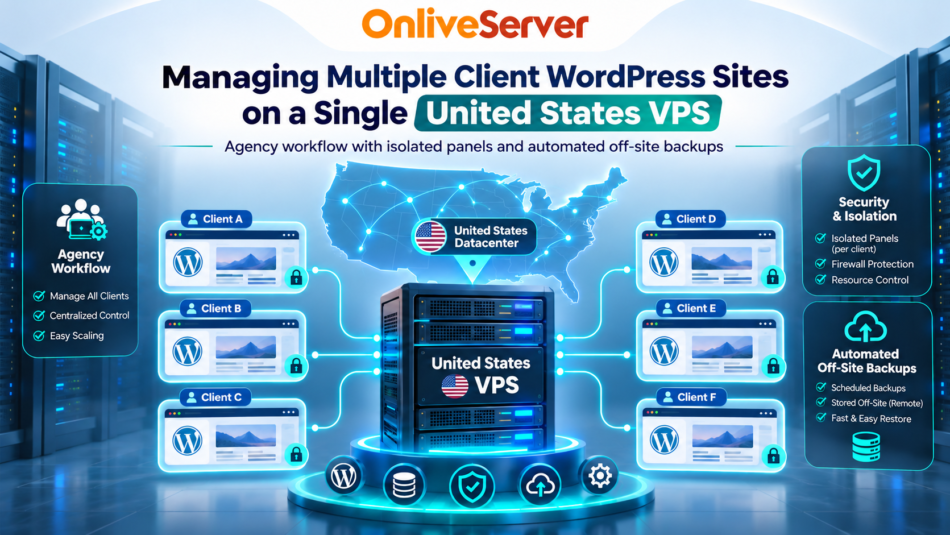
Managing WordPress websites for several clients can become difficult when every project uses a different hosting account. Agencies must track separate logins, coordinate software updates, monitor performance, and maintain reliable backups. As their client portfolios grow, these routine tasks consume valuable working hours.
A single United States VPS offers an alternative. It allows agencies to host multiple independent WordPress websites within one virtual server environment while maintaining control over server resources, security configurations, and maintenance schedules.
The key is proper isolation. Hosting several websites on one VPS can simplify administration, but each client’s files, databases, access permissions, and backups must be managed separately.
Why Agencies Choose United States VPS Hosting
A Virtual Private Server provides allocated computing resources within a virtualized hosting environment. Unlike conventional shared hosting, agencies typically receive administrative access to configure server software, manage applications, and establish their own security policies.
For agencies serving American businesses, selecting a US-based datacenter may also help reduce network latency for visitors located near the hosting region. Actual response times depend on routing, application performance, caching, and the visitor’s location.
United States VPS hosting for agencies can be particularly useful when multiple websites have similar infrastructure requirements.
Instead of managing separate hosting environments, an agency can centralize server monitoring, resource allocation, and scheduled maintenance. This reduces repetitive administration while allowing individual client websites to retain their own WordPress installations.
A VPS also gives administrators more flexibility when configuring PHP, database services, caching, and web server settings.
Planning the VPS Architecture for Multiple WordPress Websites
Before migrating client websites, agencies should estimate their combined resource requirements.
A small business website with limited traffic may consume relatively few resources. An online store running WooCommerce, complex plugins, and frequent database queries can require considerably more processing power and memory.
Administrators should evaluate CPU usage, RAM consumption, storage capacity, database activity, and expected traffic patterns.
NVMe SSD storage can be beneficial for workloads involving frequent database operations, although actual performance also depends on the server’s storage configuration and available I/O capacity.
Choosing a VPS based only on the number of websites is unreliable. Five resource-intensive websites may require more capacity than twenty lightweight brochure sites.
Keeping Client Websites Isolated
Security isolation is one of the most important considerations when hosting multiple clients on a single server.
If every website operates under the same system account with unrestricted file access, a compromised WordPress installation could expose other client websites.
Agencies should establish separate environments wherever possible.
One approach is to configure individual Linux system users, separate PHP-FPM pools, dedicated databases, and restricted filesystem permissions for each website.
Another option is containerization through technologies such as Docker. Containers can separate application processes, network configurations, and resource limits. They do not provide the same isolation boundary as independent virtual machines because containers share the host operating system kernel.
Docker Docs+1
WordPress itself recommends separate databases and database users when running multiple blogs on the same server.
WordPress Developer Resources
For agencies, isolation helps make client management safer and more predictable, although it does not eliminate every security risk.
Using Hosting Control Panels for Centralized Management
Managing every WordPress installation manually can become time-consuming, particularly when an agency handles frequent client changes.
Hosting control panels such as Plesk, DirectAdmin, and compatible multi-user server management platforms can simplify routine operations.
Depending on the chosen panel and license, administrators may be able to manage domains, SSL certificates, databases, PHP configurations, scheduled tasks, and individual client accounts from one interface.
Separate client accounts are especially useful when customers need limited access to their hosting environment.
For example, a developer might require access to one client’s files without receiving permission to modify another client’s website.
Agencies should review the panel’s account isolation capabilities, licensing expenses, and VPS compatibility before deployment.
Automating WordPress Updates and Maintenance
WordPress maintenance becomes increasingly demanding as the number of websites grows.
Plugins, themes, and WordPress core software require regular updates. Neglecting updates can leave known security vulnerabilities unresolved.
A structured maintenance workflow should include scheduled update checks, compatibility testing, backups, and post-update verification.
WP-CLI can help administrators manage WordPress installations through command-line automation. It supports tasks such as checking for core updates and performing maintenance operations.
WordPress Developer Resources
For important production websites, agencies should test significant updates in a staging environment before deployment.
Automated updates reduce repetitive work, but they should not replace monitoring. A plugin update may introduce conflicts or affect a website’s functionality even when the installation process completes successfully.
Building an Automated Off-Site Backup Strategy
Backups are essential when several client websites share a single VPS.
A hardware failure, compromised administrator account, accidental deletion, or operating system problem can affect multiple websites simultaneously.
This makes server-only backups insufficient for reliable recovery planning.
Agencies should configure automated off-site backups that store recoverable copies outside the production VPS.
A practical backup strategy includes:
- Daily database backups for websites with frequently changing content.
- Scheduled file backups covering WordPress uploads, themes, plugins, and configuration files.
- Encrypted off-site storage with access permissions separate from the production server.
- Backup retention policies that preserve multiple recovery points.
- Periodic restoration tests to verify that backups can actually recover a website.
Backup frequency should depend on how much data a client can afford to lose. A busy WooCommerce store may need more frequent database protection than a static company website.
Each client should also have an independent restoration procedure. This makes it possible to recover one website without unnecessarily affecting the others.
Improving WordPress Performance Across Multiple Sites
When numerous WordPress websites run on the same VPS, they compete for the server’s available resources.
A traffic spike on one website can therefore influence the performance of other hosted applications.
Administrators can reduce this risk through resource monitoring and careful configuration.
Page caching helps reduce repeated PHP execution and database queries. Object caching may benefit applications with frequent database access, while a Content Delivery Network can serve static assets closer to visitors.
PHP-FPM worker limits, database connection settings, and application-level resource controls should be configured according to actual workload measurements.
Regular monitoring of CPU utilization, memory pressure, disk I/O, and response times can help agencies identify performance bottlenecks before they become recurring client complaints.
When Should Agencies Upgrade Their VPS?
A VPS can support multiple WordPress websites, but its capacity is finite.
Increasing client numbers, heavier applications, and growing traffic may eventually exceed the resources available on the original server.
Common warning signs include persistent high memory usage, CPU saturation, slow database queries, and storage performance problems.
Agencies should examine these measurements before upgrading because slow WordPress performance can also result from inefficient plugins, unnecessary database queries, or incorrect caching configurations.
When additional resources are necessary, a larger VPS may be appropriate.
For agencies managing particularly demanding or security-sensitive projects, distributing clients across multiple VPS instances can also reduce the impact of a single-server failure.
Choosing a United States VPS for Agency Hosting
Selecting a hosting provider involves more than comparing advertised CPU and RAM specifications.
Agencies should review virtualization technology, available storage, datacenter location, network connectivity, operating system compatibility, and technical support arrangements.
KVM-based virtualization is one option for running an independent virtual server environment with administrative control.
Providers offering United States VPS hosting for agencies, such as Onlive Server, can be evaluated against these requirements when planning a multi-client WordPress environment.
Before purchasing, agencies should confirm available configurations, backup options, control panel support, renewal pricing, and upgrade procedures directly with the provider.
They should also identify which server administration responsibilities belong to the hosting company and which remain with the agency.
A well-defined responsibility model helps prevent important maintenance tasks from being overlooked.
Conclusion
Managing multiple client WordPress sites on a single United States VPS can simplify hosting administration and give agencies greater control over their infrastructure.
The approach works best when each client has an independently managed WordPress installation, restricted access permissions, appropriate resource allocation, and reliable off-site backups.
Centralized monitoring and automated maintenance can reduce repetitive work, but agencies must still account for shared-server risks. A VPS outage or serious security incident may affect every website hosted on that instance.
For agencies managing several small or medium-sized WordPress projects, a properly configured VPS can be a practical hosting arrangement. As client requirements grow, regularly reviewing resource usage, security boundaries, and recovery procedures will help determine when upgrading or separating workloads is the better choice.


