 WhatsApp Us Now

Did you know that the long, gibberish like web addresses used in the Tor network are actually cryptographic keys rather than just names? Compared to the standard internet where a person buys a domain name like “google.com” and keeps it as long as they pay the bill, onion addresses are tied to the math that keeps the connection private. If the math changes or the system updates to a more secure version, the address itself must change – this is why many people find their favorite bookmarks suddenly stop working after a few years.
You might notice that older addresses were short, usually sixteen characters. Modern ones are much longer, typically fifty six characters – this change is not a choice made by website owners to be difficult. It is a mandatory requirement of the network to stay ahead of people who try to break the encryption. When the underlying code of the Tor project moves forward, the “identity” of every site on that network moves with it.
Understanding the Shift to Version 3 Addresses
The biggest reason you see addresses changing recently is the retirement of “Version 2” (v2) onion services. For a long time, the short sixteen character links were the standard. As computers became faster and more powerful, those short keys became vulnerable to attacks. Engineers decided to move everyone to Version 3 (v3), which uses longer, more complex strings of numbers and letters.
This transition was a massive event for the private web – Every single site had to generate a new identity. If a site admin did not move to a v3 link, their site simply disappeared when the Tor Browser updated to stop supporting the old style. You can find more details on this in an overview of Tor network systems which explains how search tools adapted to these longer URLs.
These new addresses do more than just provide length – They hide the existence of the site from the directory servers more effectively. In the old days, it was possible for someone running a part of the network to see a list of all active .onion sites. With the new address format, that is much harder to do. The address is now a shield as much as it is a location.
Security & Cryptographic Upgrades
Encryption is a race between the individuals hiding data and the people trying to see it. Onion addresses are essentially a “public key” When you type one into your browser, you are telling the software exactly how to encrypt the data so only the specific server at the other end can read it. If the algorithm used to create that key is found to have a weakness, the only solution is to create a new key using a better algorithm.
When an admin changes their address for security, they are often moving to a “clean” identity – this prevents long term tracking. If a site stays at the same address for a decade, it is easier for powerful groups to analyze the traffic patterns over time. By moving to a new address, the site essentially gets a fresh start. Some people use a background on privacy tools to see how different services handle this type of rotating security.
Those are a few reasons why cryptographic changes force new addresses
- Upgrading from RSA to Ed25519 signatures for better speed and safety.
- Expanding the character count to prevent “brute force” guessing of addresses.
- Removing the ability for middle men to “enumerate” or list all sites.
Network Stability & Node Communication
Sometimes addresses change because the server itself moves or the way it talks to the Tor network is updated. The Tor network is made of thousands of volunteer computers. For a site to be reachable, it has to tell a few of these computers where it is. If the protocols for this communication change, the old address might become “unreachable” even if the server is still running.
You might experience a situation where your browser is stuck trying to find a path to the site – this is often a technical glitch between your software and the network’s directory. If you ever find your secure internet navigation concepts are failing because of connection loops, it might be because the address you are using is based on an outdated network protocol. Keeping your software updated is the only way to ensure the handshakes work correctly.
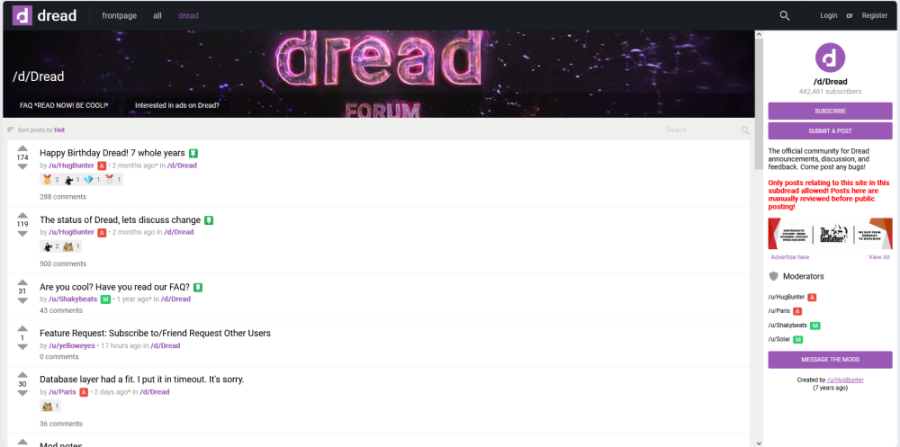
Reliability is a major factor for community hubs – As an example, large forums often have to mirror their content across multiple addresses to ensure that if one path is blocked or unstable, users can still find them – this is common for popular places like the Dread forum official link, where staying reachable is the top priority for the admins.
Protecting Users from Discovery
Admins also change addresses to protect their visitors – If a specific URL becomes too well known or associated with negative attention, it might be “ddos-ed” (flooded with fake traffic) – this makes the site slow or unusable for everyone else. By moving to a new, unpublicized address, the admin can shake off the attackers and provide a fast experience for their actual community.
This is a cat-and-mouse game – Use these tips to stay safe
- Never trust a new link sent to you in a private message.
- Use trusted directories to verify if a site has officially moved.
- Check the site’s PGP signature if they provide one to prove they are the real owners.
Many users rely on search engines to find these new homes – While some older tools are no longer active, others like Not Evil or Torch help index the current, working versions of the sites – this ensures that even when an address changes, the site does not stay lost for long.
How to Maintain Access During Changes
To keep up with these changes, you need a strategy – You cannot rely on a bookmark you made three years ago. The most successful users of the Tor network are those who know how to find updated onion links through verified clearinghouses – these sites act like a yellow pages for the private web, checking which links are alive and which are dead every few hours.
Another helpful trick is using bridges – If your connection to the network is shaky, it might not be the address that is the problem but your gateway. Learning about working Tor bridges can help you stay connected even when the network is under pressure – this ensures that when a site moves, you actually have the connection quality needed to reach the new destination.
Finally, always be skeptical – When an address changes, scammers often create fake versions of the site to steal login info. Always look for a deeper explanation of anonymous browsing safety before entering your password on a “new” version of a site you use. If the URL looks different, double check it through multiple sources.
FAQ
Why are onion links so long now?
They are longer because the network upgraded to Version 3 security. The longer string contains more cryptographic data, which makes the address almost impossible to fake or crack by outsiders.
Can I still use the old 16-character links?
No, the Tor network officially stopped supporting Version 2 addresses in late 2021. Any link that is short like that is now dead and will not load in a modern Tor Browser.
How do I know if a new address is official?
Check the site’s official social media or look for a PGP-signed message from the site admins. You can also use reputable link directories that verify the status of onion services regularly.
Does a changing address mean the site was hacked?
Not necessarily – Many of the time, it is a planned move to improve security, hide from attacks or comply with network updates. Always verify the new link to be safe.
Why do some sites have multiple addresses at once?
This is often done to balance the load of visitors – If one “door” to the site is crowded, users can use a different address to get in faster. It also provides a backup if one address is being attacked.


