 WhatsApp Us Now
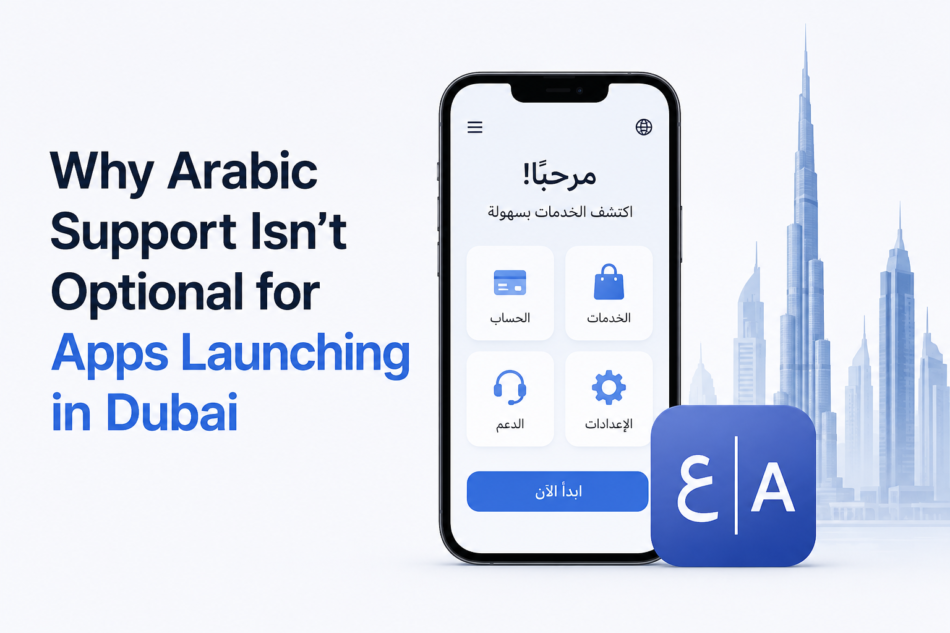
Dubai’s smartphone penetration sits close to 100%. The UAE app economy is one of the fastest-growing in the world. And yet apps launch here every single week with zero Arabic support, then quietly struggle to figure out why retention is low and conversions are half of what was projected.
The problem usually isn’t the product. It’s the language. Roughly 60% of UAE residents prefer Arabic as their primary language, and under Article 26 of the UAE Consumer Protection Law, consumer-facing apps are legally required to support Arabic, not as a nice-to-have, but as a rule that carries fines up to AED 200,000.
A detailed guide to mobile app development in Dubai built for the Arabic-speaking market breaks down exactly what changes at the engineering, design, and compliance level, and the gap between doing this well and doing it as an afterthought is bigger than most teams expect.
Why This Isn’t Just a Translation Problem
Apps with proper Arabic support see 40–60% higher user engagement than English-only equivalents, while apps without it see conversion drop by up to 50% on registration and payment flows specifically.
Retrofitting Arabic into an app that launched without it costs 3 to 5 times more than building it in from day one. Users notice the difference starting on the very first screen, and that first impression is hard to walk back.
What Right-to-Left Design Actually Changes
Arabic isn’t just text flowing the other direction — it restructures the entire interface. Without proper RTL (right-to-left) support, a long list of things quietly break:
- Back buttons and navigation arrows, which need to point the opposite direction
- Progress bars and sliders, since fill direction reverses
- Form field alignment and label placement
- Chart axis labels and data reading order
- Slide-in animations and transitions, which need to reverse too
Framework choice matters here. Flutter handles most RTL cases automatically through its directionality widget. React Native and iOS handle it reasonably well but need manual attention on edge cases. Android tends to be the trickiest, especially with complex nested layouts.
A few mistakes show up again and again in Dubai app retrofits:
- Hardcoded text strings that were never externalized into a translatable file — this alone causes most of the expensive rebuilds
- Fixed-width UI components, since Arabic text runs 25–30% longer than the English equivalent and clips inside boxes sized for English
- English-only error messages, which make an otherwise polished app feel unfinished to Arabic-speaking users
- Blanket image mirroring — logos and human faces should never mirror; only directional icons like arrows should
- English-only push notifications sent to users with an Arabic interface, which quietly tanks open rates
Translation Isn’t the Same as Localization
Most apps that struggle in Dubai stop at the easiest level of localization: translating words into Arabic and calling it done. There are actually five levels, and the ones that matter most are the ones most teams skip:
- Translation — words in Arabic
- Linguistic localization — correct grammar and appropriate tone
- Cultural localization — imagery, color, and religious sensitivity
- Functional localization — Hijri calendar support, AED currency, UAE’s Friday–Saturday weekend
- Market localization — AED-based pricing strategy and local payment methods
Most apps reach level two. The ones that actually win in Dubai operate at levels four and five.
There’s also a dialect decision to get right. Modern Standard Arabic works well for UI text, buttons, and error messages, since it’s universally understood.
Gulf Arabic (Khaleeji) is better for marketing copy and push notifications, since it feels familiar to Emiratis and the high-value Gulf resident segment.
Defaulting to Egyptian Arabic, even though it’s the most globally understood dialect, quietly signals to UAE users that the app wasn’t really built for them.
The Compliance Layer Most Teams Underestimate
Beyond the Consumer Protection Law’s Arabic requirement, apps handling personal data fall under the UAE’s Personal Data Protection Law, which requires explicit bilingual consent before data collection, a privacy policy in both languages, a user rights portal for viewing and deleting data, and breach notification within 72 hours. Violations here can carry fines up to AED 5 million.
Certain sectors carry extra rules on top of that: fintech apps need CBUAE licensing and KYC/AML compliance, healthcare apps need DHA approval and data localization, and real estate apps need RERA compliance.
Payment infrastructure matters too, Stripe alone isn’t sufficient for the UAE market, and most serious apps integrate regional gateways like PayTabs or Telr alongside UAE PASS for identity verification.
The Untapped Advantage: Arabic App Store Optimization
This is one of the biggest gaps competitors leave open. Optimizing an App Store listing natively in Arabic, not translating an English listing, taps into millions of Arabic-language searches every month that most competitors simply ignore.
That means an Arabic app name and description written with real Gulf Arabic phrasing, Arabic-first screenshots, and a fully Arabic keyword field on iOS. Apple and Google both support separate metadata per locale, so a single global listing quietly loses ranking in both languages at once.
What It Actually Costs
Arabic app development in Dubai typically runs AED 60,000 to AED 480,000+, depending on complexity, with RTL and bilingual support adding roughly 20% on top of the base build cost:
- Simple/MVP app: AED 60,000–120,000 (~$16,000–$33,000)
- Mid-complexity app (e-commerce, on-demand): AED 180,000–360,000 (~$49,000–$98,000)
- Enterprise/fintech/health app: AED 480,000–960,000 (~$131,000–$261,000)
Retrofitting Arabic into an app that already launched English-only adds another 40–60% on top of the original build cost — which is the exact expense this whole approach is meant to avoid.
The Real Takeaway
The minimum viable product for Dubai simply isn’t the same as the minimum viable product for most other markets. Bilingual architecture, RTL layout, and basic compliance consent flows need to be part of the very first sprint, not a feature scheduled for version two.
Teams that treat Arabic as the foundation rather than an add-on consistently see better engagement, fewer compliance headaches, and a product that actually feels native to the market it was built for.


