 WhatsApp Us Now
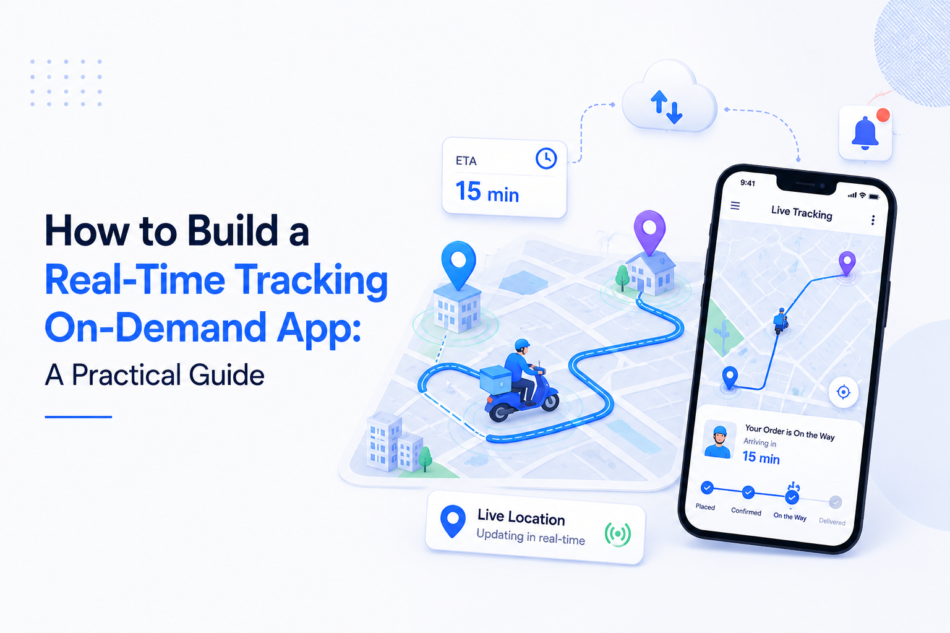
Watching a delivery driver’s icon glide across a map has become second nature for most app users. Nobody thinks twice about it anymore, they expect it. But behind that smooth-moving pin sits a surprisingly complex stack of technology that most founders underestimate until they’re deep into development.
If you’re planning to launch a delivery, ride-hailing, or logistics platform, you’ll eventually need to build a real-time tracking on-demand app rather than bolt a basic map onto your product. The difference between the two isn’t cosmetic, it’s architectural, and it affects your budget, your backend, and how your app performs once real users start hammering it with location updates every few seconds.
This guide breaks down what actually goes into building live tracking, the components you can’t skip, and the mistakes that trip up teams after launch.
What Makes Real-Time Tracking Different From a Simple Map
A map with a moving dot is not the same thing as real-time tracking. Plenty of apps fake it by refreshing a driver’s position every 15 to 30 seconds through repeated server requests. It looks fine in a demo, but users notice the lag the moment they’re actually waiting on their order.
True real-time tracking relies on a persistent connection between the driver’s device and your server, pushing location updates every few seconds instead of waiting for the app to ask for them. That shift — from “asking” to “pushing” — is what separates a tracking feature from a tracking system.
Why the Distinction Matters to Users
People don’t just check delivery status once. They watch it. A pin that jumps instead of glides, or an ETA that doesn’t budge for two minutes, immediately signals that something is off, even if the order itself is running on time. Perceived reliability often matters as much as actual reliability.
Why It Matters to Your Backend
Polling-based apps generate a constant stream of redundant requests, even when nothing has changed. At meaningful scale — hundreds of active drivers — that adds up to unnecessary server load and higher infrastructure bills. Push-based systems only send data when something actually changes, which keeps things efficient as your user base grows.
Core Components You Need to Get Right
A tracking system isn’t one feature — it’s several systems working in sequence. Skipping or under-building any one of them tends to surface as a production problem, not a development one.
Connection Layer
This is how location data travels from the driver’s phone to your server and back out to the customer’s screen. Persistent connections (commonly built with WebSocket or similar protocols) keep a channel open for the duration of a trip, instead of repeatedly opening and closing connections. This is the single biggest architectural decision in the whole build, since it shapes how your backend handles concurrent users.
Mapping and Location Rendering
Once location data reaches the client, it needs to render smoothly on a map. Choosing a mapping provider comes down to coverage, pricing at scale, and how much visual customization you want. Some platforms are cheaper to run at high volume; others offer faster out-of-the-box integration. The right choice depends on your expected usage and how much control you want over the map’s look and feel.
Backend and Data Storage
Location pings arrive constantly and need somewhere to land. A database built for geographic queries — one that can efficiently answer questions like “which drivers are within five kilometers of this address” — performs far better than a general-purpose database forced into that role. Many teams separate location-event data from order and payment data entirely, letting each system do what it’s actually good at.
ETA and Route Recalculation
An ETA calculated once at order placement and never touched again isn’t really an ETA — it’s a guess with a timestamp. A functioning system recalculates estimated arrival continuously, factoring in current speed, route deviations, and traffic conditions, so the number on screen stays honest.
Geofencing
Geofencing draws invisible boundaries around pickup points, drop-off addresses, and service zones. Crossing one of these boundaries can trigger automatic status changes — “driver arrived,” “order delivered” — without anyone manually updating a status field. It also acts as the trigger for ETA recalculation as a driver nears their destination.
Message Queuing
When dozens or hundreds of drivers send location updates simultaneously, writing every single ping directly to your database creates a bottleneck. A message queue sits in between, absorbing the incoming volume and writing aggregated, controlled updates to storage. Without this layer, the app that worked fine in testing often stutters the moment real traffic hits it.
A Practical Build Sequence
Rather than tackling every component at once, most successful builds follow a rough order:
- Define scope first. Decide whether launch requires just a customer-facing map, an internal operations view, or full fleet visibility. This decision shapes everything downstream.
- Pick your connection approach based on expected volume. Lower-traffic MVPs can often start simpler and migrate to a more robust push-based architecture as usage grows.
- Wire up the core location pipeline. Get coordinates flowing from device to server to client reliably before adding extra features on top.
- Layer in geofencing and ETA logic. These depend on a working pipeline underneath them, so they come after, not before.
- Plan your data model with growth in mind, even if you’re not building an ops dashboard on day one. Retrofitting this later is far more expensive than designing for it upfront.
- Load-test aggressively before launch. Problems with battery drain, background tracking, and geofence accuracy rarely show up with a handful of test users — they show up at scale.
Common Pitfalls After Launch
Two issues account for the majority of post-launch tracking complaints. The first is GPS drift — a stationary driver appearing to jump around on the map due to weak satellite signal or interference from tall buildings. Smoothing algorithms that weigh recent position data against expected movement can largely solve this.
The second is mobile operating system restrictions, particularly on iOS, which can suspend background location updates unless the app explicitly wakes itself. This is the classic case of tracking working perfectly in development and failing quietly in production, usually because it wasn’t tested on real devices under real background conditions.
Battery consumption deserves attention too. Constant high-frequency GPS polling can drain a phone in a few hours. Adjusting update frequency based on whether a driver is moving or stationary helps balance accuracy against battery life.
Getting the Architecture Right the First Time
Live tracking has moved from “nice to have” to a baseline expectation for any on-demand platform. The technical decisions behind it — how data moves, where it’s stored, how updates are triggered — determine whether that experience feels seamless or feels like it’s constantly catching up.
Getting this right from the start costs less than retrofitting it later. If you’re scoping a build, it’s worth spending real time upfront on architecture decisions before committing to a full development timeline.
