 WhatsApp Us Now

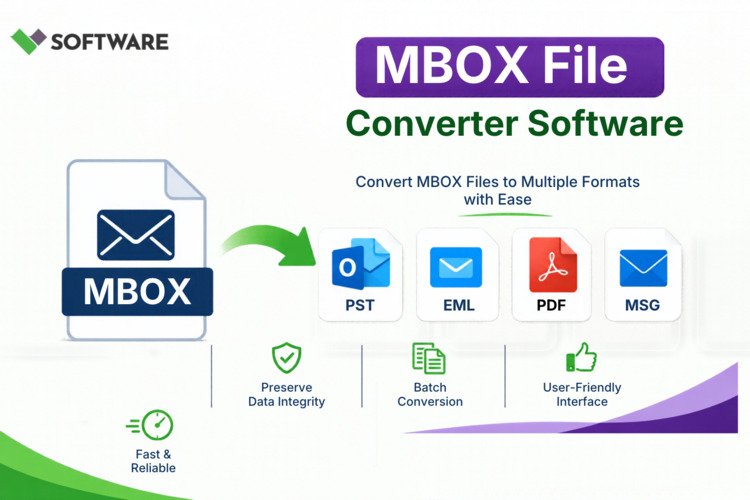
choosing the right MBOX to PST Converter Tool is essential. A reliable converter does much more than simply transfer emails from one format to another.
Organisations and individual users often migrate email data when switching email platforms, consolidating accounts, or moving to Microsoft Outlook. One of the most common migration scenarios involves converting MBOX files into PST format so that emails become fully accessible in Outlook. While the conversion process may seem straightforward, preserving the integrity of email data is critical. Losing attachments, folder hierarchy, metadata, or message formatting can create significant challenges after migration.
This is why choosing the right MBOX to PST Converter Tool is essential. A reliable converter does much more than simply transfer emails from one format to another. It ensures that every important element of the mailbox remains intact throughout the migration process. In this article, we will explore the key data components that an MBOX to PST Converter Tool should preserve and why these elements matter for a successful Outlook migration.
Understanding MBOX and PST Formats
Before discussing preservation requirements, it is important to understand the two file formats involved.
- MBOX is a widely used mailbox storage format supported by platforms such as Mozilla Thunderbird, Apple Mail, Eudora, and several Unix-based email clients.
- PST (Personal Storage Table) is Microsoft’s proprietary format used by Outlook to store emails, contacts, calendars, notes, and other mailbox items.
Since these formats use different structures to store data, a conversion tool must accurately map all information during the migration process. Any mismatch or data loss can lead to incomplete mailboxes and reduced productivity.
Why Data Preservation Matters During Migration
Email data often contains valuable business records, client communications, invoices, contracts, project details, and compliance-related information. Even a small amount of lost data can have serious consequences.
A reliable migration process should ensure:
- Complete email accessibility after conversion
- Preservation of communication history
- Compliance with record-keeping regulations
- Accurate search and indexing in Outlook
- Minimal disruption to users
The effectiveness of an Outlook migration largely depends on how well the conversion software preserves mailbox content.
1. Email Messages Must Remain Intact
The most important responsibility of an MBOX to PST Converter Tool is to preserve every email message exactly as it appears in the source mailbox.
This includes:
- Email body content
- Subject lines
- Sender information
- Recipient information
- Embedded links
- Inline images
Users should be able to open migrated emails in Outlook without noticing any changes in formatting or content.
A high-quality converter ensures that no messages are skipped, truncated, or corrupted during the conversion process.
2. Folder Structure Should Be Preserved
Many users organize their emails into folders and subfolders for easier management. A migration tool should maintain the original hierarchy exactly as it exists in the MBOX file.
For example:
Source Mailbox Structure
- Inbox
- Clients
- Client A
- Client B
- Projects
- Project X
- Project Y
The same structure should appear in Outlook after conversion.
If folder structures are flattened or rearranged, users may spend hours manually reorganizing data. Therefore, folder hierarchy preservation is one of the most important features to evaluate in a converter tool.
3. Attachments Must Remain Associated with Emails
Attachments often contain critical business information, including:
- Contracts
- Reports
- Spreadsheets
- PDFs
- Images
- Presentations
A dependable MBOX to PST Converter Tool should preserve:
- Original attachment names
- File sizes
- File formats
- Attachment associations
Users should be able to open any converted email and access its attached documents immediately.
Missing attachments can result in lost information and operational delays, making attachment preservation an essential migration requirement.
4. Email Metadata Should Not Change
Metadata contains important information that Outlook uses to organize and display messages.
Key metadata elements include:
- Date and time stamps
- Sender addresses
- Recipient addresses
- CC and BCC fields
- Message IDs
- Read/unread status
- Priority flags
If metadata changes during conversion, users may experience:
- Incorrect email sorting
- Broken conversation threads
- Search inaccuracies
- Compliance issues
A professional conversion tool ensures that all metadata remains untouched throughout the migration process.
5. HTML Formatting Must Be Retained
Modern emails frequently use HTML formatting to enhance appearance and readability.
Common HTML formatting elements include:
- Custom fonts
- Colors
- Tables
- Images
- Hyperlinks
- Company branding
Poor-quality conversion software may alter HTML formatting, causing emails to display incorrectly in Outlook.
A reliable converter should preserve:
- Original layouts
- Font styles
- Embedded images
- Hyperlinks
- Marketing email designs
Maintaining visual consistency ensures that emails look exactly as intended after migration.
6. Embedded Images and Inline Content Should Be Accessible
Many business emails contain embedded images and inline graphics rather than traditional attachments.
Examples include:
- Company logos
- Product screenshots
- Marketing banners
- Signature graphics
A comprehensive migration solution must ensure that these visual elements remain correctly linked to their respective messages.
Failure to preserve inline content may leave emails incomplete or difficult to understand.
7. Email Status Information Should Be Preserved
Users rely on status indicators to manage their communications.
Important status attributes include:
- Read or unread messages
- Flagged emails
- Follow-up markers
- Important messages
Without preserving these indicators, users lose valuable context after migration.
A well-designed MBOX to PST Converter Tool maintains these statuses so Outlook users can continue working without disruption.
8. Large Mailboxes Should Be Converted Without Data Loss
Business mailboxes often contain thousands of emails accumulated over many years.
The conversion tool should support:
- Large MBOX files
- Multiple mailbox files
- Batch conversions
- High-volume migrations
When handling substantial datasets, the software must avoid:
- Freezing
- File corruption
- Conversion interruptions
- Partial exports
A scalable solution ensures consistent results regardless of mailbox size.
9. Duplicate Email Handling
Migration projects occasionally involve duplicate messages because of backups, archived mailboxes, or repeated imports.
An advanced converter may provide duplicate management features such as:
- Duplicate email detection
- Selective removal
- Filter-based conversion
These features help reduce mailbox clutter and improve Outlook performance after migration.
10. Unicode and Special Character Support
Businesses operate globally and often use multiple languages.
Email content may contain:
- Non-English characters
- Symbols
- International scripts
- Regional date formats
A professional conversion utility should provide complete Unicode support to ensure that multilingual messages remain readable and accurate after migration.
Without proper encoding preservation, users may encounter malformed or unreadable text.
11. Accurate Contact and Additional Item Preservation
Although MBOX primarily stores emails, some migration solutions also support converting related mailbox information.
Depending on the source environment, advanced migration tools may preserve:
- Contact information
- Embedded email properties
- Mailbox indexes
- Custom attributes
This improves continuity and ensures a smoother transition to Outlook.
Features to Look for in an MBOX to PST Converter Tool
When evaluating conversion software, consider the following capabilities:
Essential Features
- Complete email preservation
- Folder hierarchy retention
- Attachment integrity
- Metadata preservation
- HTML formatting support
- Batch conversion
- Large file support
- Unicode compatibility
Advanced Features
- Preview functionality
- Selective folder conversion
- Date-based filtering
- Duplicate management
- PST splitting options
- Log generation and reporting
Selecting a tool with these features significantly increases the likelihood of a successful migration.
Best Practices Before Migration
To maximize conversion accuracy:
- Create a backup of all MBOX files.
- Verify mailbox integrity before conversion.
- Test a sample conversion first.
- Review converted PST files in Outlook.
- Confirm attachments and folder structures.
- Validate email metadata and timestamps.
- Check search functionality after migration.
Following these steps helps identify potential issues before a full-scale migration.
Conclusion
An Outlook migration is successful only when all critical mailbox information is preserved accurately. The right MBOX to PST Converter Tool should protect not only email messages but also attachments, metadata, folder hierarchy, formatting, embedded content, and status indicators. These elements collectively ensure that users can continue working in Outlook exactly as they did in their previous email environment.
When selecting a conversion solution, focus on data integrity rather than simply converting files. A dependable converter minimizes the risk of data loss, reduces migration complexity, and delivers a seamless transition to Outlook. By prioritizing preservation capabilities, organizations and individuals can confidently migrate their MBOX data while maintaining complete access to their valuable email records.


