 WhatsApp Us Now
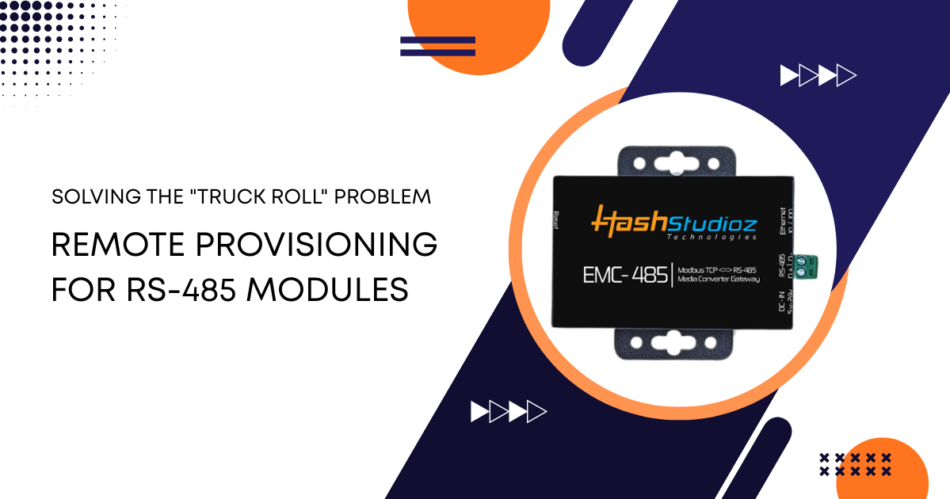
Many industries still rely on RS-485 devices for automation, energy monitoring, factory systems, and smart infrastructure. As these systems spread across multiple sites, remote access has become more important for reducing downtime and service costs.
A single truck roll can cost $75 to $300 or more per visit, and those costs rise quickly across large deployments. That is why many teams now use remote provisioning to configure, monitor, and update devices without going on-site.
A common way to do this is with an RS-485 to Ethernet Converter or RS-485 to LAN Converter. These devices connect traditional RS-485 networks to IP-based systems, making remote access faster, easier, and more practical.
What Is the “Truck Roll” Problem?
A “truck roll” refers to dispatching a technician or field engineer to a remote location to fix, inspect, or update equipment. It is common in industries with geographically dispersed equipment.
Why Truck Rolls Are Costly
- Labor costs: Certified technicians are paid hourly rates that vary widely by region.
- Travel time: Reaching remote or difficult sites adds hours to each visit.
- Downtime: Equipment may remain offline while waiting for a truck roll.
- Multiple devices: One visit may not solve problems on several devices at the same site.
Industries Most Affected
- Utilities such as power and water management
- Manufacturing and process control
- Oil and gas
- Transportation systems
- Building automation
In traditional setups, RS‑485 devices require technicians to be physically present for configuration and troubleshooting. This limitation creates delays and cost spikes.
Understanding RS‑485 Communication
RS‑485 is a digital communication standard used widely in industrial systems. It supports multi‑drop connections and long cable runs. RS‑485 can cover distances up to 1200 meters (4000 feet) and support multiple devices on a single pair of wires.
Why RS‑485 Is Popular
- Good noise immunity in industrial environments
- Multi‑device networks on a single bus
- Long‑distance communication
- Simple and robust physical layer
Despite its strengths, RS‑485 lacks native support for IP networks. This shortcoming makes remote access and provisioning hard without additional tools.
What Remote Provisioning Means
Remote provisioning refers to the ability to configure, update, and manage devices from a central or off‑site location. In industrial systems, this means:
- Changing device parameters
- Updating firmware
- Monitoring performance
- Detecting faults remotely
- Resetting devices without on‑site work
Remote provisioning reduces physical dependencies. It allows many tasks to be completed in minutes instead of days.
Role of Network Converters in Remote Provisioning
The core method used to enable remote device access for RS‑485 equipment is to convert RS‑485 signals to IP network signals. This task is done using an RS‑485 to Ethernet Converter or RS-485 to LAN Converter.
Thus, RS‑485 devices can connect to the Ethernet network. Tech teams can then access these devices over local or wide area networks, including secure VPN or cloud connections.
Primary Capabilities of Converters
- Translate serial data to network packets.
- Provide remote access over IP
- Support standard protocols such as Modbus TCP/IP, BACnet/IP
- Enable integration with management tools.
- Offer security features such as a password and network isolation.
Converters act as a bridge between older industrial systems and modern IP‑based management platforms. They allow systems that were never designed for remote access to be monitored and configured without entering the site.
How an RS‑485 to Ethernet Converter Works
An RS‑485 to Ethernet Converter connects to the RS‑485 bus on one side and to an Ethernet network on the other. It joins these two worlds by translating between serial and network protocols.
Core Process
- RS‑485 device sends serial data
- The converter receives serial signals.
- Converter packages data into TCP/IP frames
- Data travels over LAN or WAN.
- The remote host reads and responds to packets.
- The converter translates the response back to serial.
This translation opens the RS‑485 network to centralized monitoring and control systems.
RS-485 to LAN Converter: A Brief Look
The term RS-485 to LAN Converter is often interchangeable with RS‑485 to Ethernet Converter. Both devices perform the same essential task: integrating a legacy serial network with a modern IP network.
The choice between models depends on:
- Performance requirements
- Available network infrastructure
- Required security protocols
- Protocol compatibility (e.g., Modbus, DNP3)
Both converters help organizations cut costs tied to manual interventions and reduce downtime.
Benefits of Remote Provisioning with Converters
Remote provisioning and network converters provide several measurable benefits:
1. Cost Savings
Organizations can reduce annual service costs dramatically. With each avoided truck roll, savings multiply across sites and devices.
2. Faster Issue Resolution
A networked device can report status instantly, allowing support engineers to diagnose and resolve issues remotely.
3. Improved Uptime
Downtime drops as technicians no longer need scheduling delays or travel periods to address problems.
4. Standardized Maintenance
Remote updates and standardized configuration across devices reduce configuration errors.
5. Scalability
As device counts grow, remote provisioning allows scaling without proportional increases in field staff.
Practical Use Cases
Below are some practical examples of how remote provisioning is used in real-world RS-485 deployments.
1. Utility Monitoring Systems
A regional utility network may have hundreds of remote sensors communicating over RS‑485. Using RS‑485 to Ethernet devices, engineers can gather data centrally and push firmware updates without traveling to each sensor.
2. Building Management Systems (BMS)
In large buildings, HVAC and access control systems often run on RS‑485 networks. A converter lets facility teams view and configure devices from the main control room or remote support center.
3. Manufacturing Floor Automation
Manufacturers use remote provisioning to update PLC devices, I/O modules, and automation controllers from a central operations center.
Best Practices for Remote Provisioning
Implementing remote provisioning requires careful planning. Here are several practical considerations:
1. Use Reliable Converters
Choose RS‑485 to Ethernet or RS-485 to LAN converters that support your target protocols and network standards. Ensure compatibility with Modbus, BACnet, or other protocols used by your devices.
2. Protect Network Security
Remote access increases network exposure. Apply encryption, firewalls, segregated VLANs, and secure authentication to protect devices.
3. Monitor Device Health
Use network monitoring tools to track device responses and status. Alerts help detect issues before they become critical.
4. Plan for Failures
Although remote provisioning cuts visits, set fallback procedures for on‑site service when needed.
5. Document Configurations
Keep configuration templates and device records updated. These records reduce errors and speed troubleshooting.
Challenges and Solutions
Even with current technology, remote provisioning brings challenges. Below are common issues and how to solve them.
1. Network Latency
Low bandwidth or high latency can affect real‑time device access.
Solution: Use quality of service (QoS) settings, and keep critical devices on high‑performance network segments.
2. Security Risks
Opening device access over networks increases the attack surface.
Solution: Use encryption, strong passwords, and segmented networks.
3. Compatibility Issues
Legacy devices may not natively support network protocols.
Solution: Choose converters that support multiple protocol translations.
4. Power Loss at Remote Sites
Remote sites may lose power often.
Solution: Use UPS or local power backup to maintain communication.
Technical Comparison: Direct Access vs Remote Provisioning
| Feature | Direct Access | Remote Provisioning |
| Physical Visits | Required | Not required |
| Cost per Change | High | Low |
| Configuration Speed | Slow | Fast |
| Scalability | Limited | High |
| Monitoring | Local only | Global |
Remote provisioning clearly offers operational advantages and cost reductions over direct access.
Real‑World Example
A mid‑sized manufacturing plant migrated 200 RS‑485 I/O modules to remote access using RS‑485 to Ethernet converters. Prior to the change, technicians made weekly visits for updates and checks. After implementing remote provisioning, the plant saved an estimated $150,000 annually, and downtime due to communication faults was reduced by 70% within one year.
Conclusion
Remote provisioning helps solve one of the biggest cost issues in industrial device management: unnecessary site visits. With tools like an RS-485 to Ethernet Converter or RS-485 to LAN Converter, teams can access and manage RS-485 devices remotely instead of sending someone on-site for every small task.
This reduces costs, improves uptime, and helps teams respond faster. More importantly, it shifts operations from reactive maintenance to smarter, centralized control.
For industries still using legacy RS-485 systems, remote provisioning is no longer optional. It is a practical way to improve performance, save time, and manage networks more efficiently.


