 WhatsApp Us Now

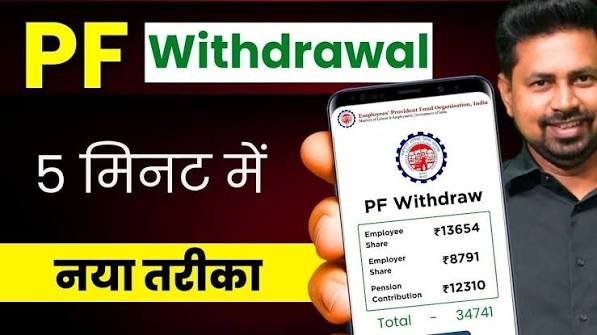
Navigating the intricacies of the Provident Fund (PF) can sometimes feel overwhelming for employees. The PF is an essential savings scheme designed to provide financial security to employees after retirement. However, there may come a time when employees need to withdraw their provident fund. As the process has transitioned towards digitalization, understanding the PF withdrawal journey online—including the rules and steps involved—has become crucial for employees.
What is PF Withdrawal?
PF withdrawal refers to the process where employees can withdraw benefits accrued in their Provident Fund account. This can be done for various reasons: changing jobs, retirement, or in certain circumstances such as medical emergencies. The Employees’ Provident Fund Organization (EPFO) provides a streamlined, user-friendly online platform for members to withdraw their funds more efficiently than ever before.
Many employees, however, remain unaware of the necessary steps and rules associated with PF withdrawal. In this article, we will walk you through the process ensuring that you are well-equipped to navigate this essential aspect of your financial journey.
Steps for PF Withdrawal Online
Step 1: Ensure Eligibility
Before initiating a PF withdrawal, it’s essential to ensure you are eligible. According to EPFO guidelines, you can withdraw your PF balance under various circumstances, including:
– Leaving your job
– Retirement (after reaching 58 years of age)
– Purchasing a house or taking a loan against your PF balance
– Complete withdrawal due to medical emergencies
Step 2: Register on the EPFO Portal
The next step involves registering on the EPFO member portal. To register, visit the official website and follow the instructions:
1. Click on the ‘Click Here to Know Your Claim Status’ option.
2. Choose ‘Registration’ from the dropdown menu.
3. Enter your Universal Account Number (UAN) and other details for verification.
Once your registration is complete, you will receive a confirmation email or notification. Keep your login credentials safe for future reference.
Step 3: Start the Withdrawal Process
Log in to your EPFO account using your UAN and password. Follow these steps to initiate your PF withdrawal:
1. Click on the ‘Online Services’ tab.
2. Select ‘Claim (Form-31, 19, 10C)’.
3. Choose the type of claim you wish to proceed with (full withdrawal, partial withdrawal for a loan, etc.).
Step 4: Fill Out the Withdrawal Form
Upon selecting your claim type, fill out the online withdrawal form accurately. Make sure to enter all required details, including your bank account information for where the money should be credited. Double-check your details for accuracy before submission, as incorrect information can lead to delays or rejections.
Step 5: Upload Required Documents
You will be required to upload certain documents based on your claim type. Typically, you may need to provide:
– A copy of your PAN.
– Bank account details (if not already linked).
– Any relevant medical documents if it’s a medical withdrawal.
Step 6: Submit the Claim
After filling out the withdrawal form and uploading the necessary documents, submit your claim. You will receive a claim acknowledgment number, which you can use to track your application status.
Tracking Your PF Claim Status
Once your application is submitted, you may want to check the status of your PF claim to ensure it is being processed. To do this, follow these steps:
1. Log in to the EPFO member portal.
2. Navigate to ‘Track Claim Status’.
3. Enter the claim number or UAN to check the status.
You can also check your claim status via SMS services or the EPFO mobile app.
Important Rules To Remember Before PF Withdrawal
While the online process may seem straightforward, several rules need to be kept in mind:
1. Attestation Requirements: In specific cases, your employer may need to attest the form, especially if you have not linked your UAN with Aadhaar or if your UAN is not activated.
2. Tax Implications: Understand the tax implications before making a withdrawal. If you withdraw before five years of continuous service, the amount may be subject to tax.
3. Account Details Should Match: Ensure that the bank account details you provide during the application match the details registered with your UAN. Any discrepancies can lead to rejection of your claim.
4. Linking Your UAN with Aadhaar: Having your UAN linked with your Aadhaar is mandatory for processing your PF claims and ensures a smoother withdrawal experience.
Final Thoughts
With a comprehensive understanding of the steps and rules governing PF withdrawals, employees can navigate this process with confidence and ease. Remember that your PF balance is a crucial financial resource, and knowing how to access it is essential.
Taking the time to familiarize yourself with the online PF withdrawal process, and ensuring your PF claim status is always up-to-date, can help you avoid unnecessary delays and complications. Stay informed, and enjoy your financial independence today!
References
– Employees’ Provident Fund Organization (EPFO)
– Ministry of Labour and Employment, Government of India
By understanding these essential points regarding PF withdrawal, you ensure a smooth transition should the need arise. Empower yourself with knowledge and be prepared for all financial eventualities.


