 WhatsApp Us Now

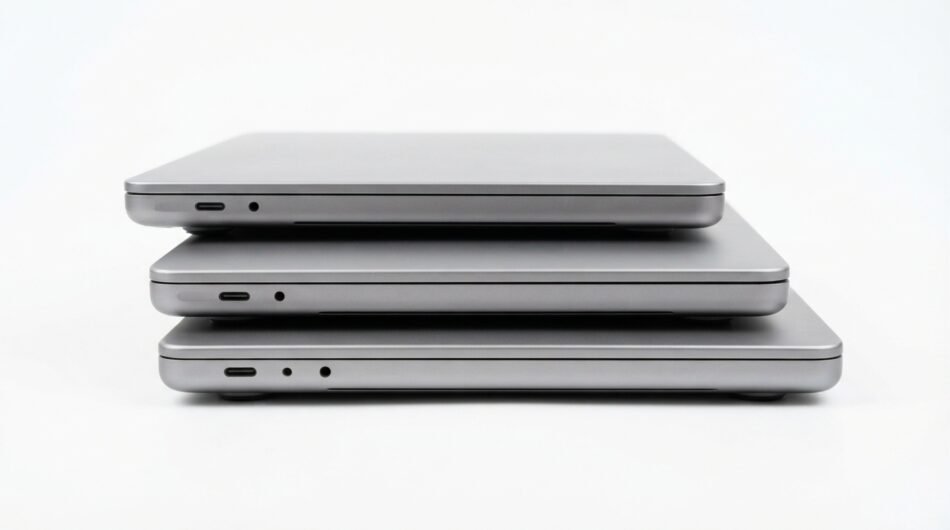
A temporary workplace may operate for only a few days or several months, but employees still need reliable technology from the moment they arrive. Computers, connectivity, displays, accessories and collaboration tools all need to work together, whether the space supports a project team, training programme or short-term business operation. A Mac Rental Company can help organisations build this technology environment without transferring permanent equipment from established offices or purchasing devices specifically for a temporary location.
The challenge is to think beyond the number of computers required. A functional temporary workspace depends on how people will work, which applications they need, how devices connect to the network and what equipment supports meetings or collaborative tasks. Planning these requirements as one technology ecosystem can prevent small technical gaps from disrupting an otherwise well-organised workplace.
Temporary workplaces are becoming more varied
A short-term office is no longer limited to a rented room used while permanent premises are unavailable. Businesses create temporary working environments for client projects, staff training, product launches, field operations, conferences and internal transformation programmes. Each scenario creates a different technology requirement.
A consulting team based at a client’s premises may prioritise portable computers and secure connectivity. A temporary training centre might need identical devices across every desk so participants can follow the same instructions. A project hub could require a combination of individual workstations, presentation displays and collaborative areas.
Understanding the purpose of the space should therefore come before choosing hardware. The technology should follow the way people will use the workplace rather than forcing employees to adapt their work around whatever equipment happens to be available.
Begin with the people who will occupy the space
The number of desks does not necessarily equal the number of computers required. Some people may attend daily, while others work remotely or visit only for meetings. Contractors and specialists might also join at different stages of the project.
Create a basic occupancy schedule before ordering equipment. Identify the maximum number of simultaneous users rather than adding together everyone who might participate over the entire project. This can provide a more accurate picture of the actual hardware requirement.
Roles matter just as much as headcount. An administrative employee using browser-based systems may need different computing power from a developer, designer or analyst working with demanding applications. Dividing users by workload can help determine which devices belong at which workstations.
Create workstation profiles instead of one generic setup
A temporary workplace becomes easier to plan when users are grouped according to what they actually do. Rather than ordering one identical configuration for everyone, businesses can create several workstation profiles. Each profile can include the computer, display and peripherals required for a particular type of work.
A general productivity station might use a laptop with a monitor, keyboard and mouse. A specialist workstation could require a higher-performance Mac, additional screen space and more connectivity. Meeting areas might need a separate device designed primarily for presentations and video conferencing.
Possible profiles could include:
- Standard productivity workstation for email, documents and web applications
- High-performance station for design, development or data-heavy tasks
- Portable setup for employees moving between rooms or sites
- Trainer workstation connected to a presentation display
- Shared meeting-room computer for presentations and collaboration
- Spare station available for visitors or unexpected team additions
This approach helps prevent over-specification. It also creates a more deliberate relationship between equipment cost and the work each employee performs.
Laptop rental can keep temporary spaces flexible
Fixed desktop environments are not always ideal when a workplace itself is temporary. Teams may change rooms, attend client meetings or work from another location during part of the project. Laptop rental gives users more freedom to move without losing access to their primary working device.
Portable computers can also simplify the final closure of a short-term office. There are fewer permanent workstations to dismantle, and equipment can be collected once the assignment ends. This can be useful when businesses have strict deadlines for vacating rented premises.
Portability should still be balanced against the needs of desk-based users. Employees who spend most of the day working with spreadsheets, designs or multiple applications may benefit from external displays and full-size input devices. A laptop can remain the core computer while the desk provides a more comfortable working environment.
Connectivity should be planned before computers arrive
Even the best hardware becomes ineffective without reliable access to business systems. Temporary premises may not have the same network infrastructure as an established office, particularly when the location was never designed to accommodate a large working team. Internet and local connectivity therefore need early attention.
Estimate how many devices will use the network simultaneously. The total can include laptops, phones, tablets, presentation equipment and other connected hardware. Video meetings and cloud-based applications can place considerably more demand on a connection than basic browsing.
Wi-Fi coverage also matters across larger or unusually shaped spaces. A strong signal near the router does not guarantee dependable connectivity in a distant meeting room. Testing coverage before employees arrive can identify areas that require additional networking equipment.
Think about cloud access and user accounts in advance
Modern temporary offices often depend heavily on cloud platforms. Employees may need access to file storage, project-management systems, communication tools and browser-based business applications from the first morning. Account preparation can therefore be as important as the physical computer.
IT teams should establish which users need access to which systems before deployment. Temporary staff and contractors may require more restricted permissions than permanent employees. Creating accounts in advance reduces the temptation to share credentials simply because the project is under time pressure.
The end of the assignment should also be considered at this stage. Temporary accounts need clear expiry or removal procedures, particularly when external workers have accessed internal company resources. Access management should follow the lifespan of the project.
Standardised hardware can improve training environments
Training rooms create a particular challenge because every participant often needs to perform the same task at the same time. Different operating systems, screen layouts or device capabilities can cause people to see different results from the trainer. That inconsistency can slow down the entire session.
Using similar computers across the room creates a more predictable learning environment. Instructions can be written for one setup, and trainers are less likely to spend time troubleshooting individual hardware differences. This becomes particularly useful for software demonstrations and practical workshops.
Computer rental can support sessions where the organisation does not normally maintain a dedicated training lab. Equipment can be brought in for the programme and removed when the training concludes. This allows meeting rooms or event spaces to function as temporary technology classrooms when required.
Do not overlook monitors and desk ergonomics
Providing a laptop does not automatically create a comfortable full-day workstation. Employees who will spend weeks or months in a temporary office may need larger displays, suitable keyboards, mice and properly arranged desks. Small ergonomic improvements can make prolonged computer use more practical.
External monitors are especially useful for employees who work across several applications. Analysts, developers, project managers and designers may benefit from additional screen space even when their main device remains portable. Display requirements should therefore be included during the initial equipment assessment.
Connections between devices also need to be confirmed. The correct cables, hubs and adapters should arrive with the computers rather than being sourced after employees discover they cannot connect to a screen. These small components can have an outsized effect on whether a workspace is actually ready.
Meeting areas need their own technology plan
Temporary offices often focus heavily on individual desks while treating meeting rooms as an afterthought. Yet project teams may spend significant time reviewing work, speaking with clients or coordinating with colleagues elsewhere. Collaboration areas need suitable technology from the beginning.
Consider how presentations will reach the main display and whether employees need wired or wireless connections. Video meetings may require cameras, microphones, speakers or conferencing equipment beyond what is built into a laptop. Room size and the number of participants can influence what works effectively.
Test the complete meeting setup before an important call or presentation. Audio, video and screen sharing should all work with the devices employees will actually use. Discovering an incompatible adapter while a client waits is an avoidable problem.
Computer rental can support project war rooms
Some projects benefit from a dedicated environment where teams can concentrate on one objective. Product launches, system migrations, major tenders and operational programmes can all lead businesses to create temporary “war rooms” or project hubs. These spaces may bring together people from departments that do not normally sit together.
Technology needs to support rapid collaboration in this environment. Individual computers allow employees to continue their specialist tasks, while shared screens can display schedules, dashboards, designs or project status information. Additional equipment may be needed for frequent remote meetings with stakeholders.
A computer rental strategy allows this infrastructure to exist for the life of the project. Once the programme closes, the organisation does not need to find a permanent purpose for every additional device. The workspace can disappear along with the temporary requirement that created it.
Pop-up offices require careful logistical planning
Businesses sometimes need a functioning office in a location where they normally have no permanent presence. This could support a major event, regional project, recruitment programme or temporary operational team. The challenge is getting technology to the site at the correct time.
Delivery should be coordinated with access to the premises. Equipment arriving before anyone can enter the building creates one problem, while computers arriving after employees start creates another. Building management rules may also affect delivery times or where equipment can be unloaded.
Allow time between hardware arrival and the first working session. Even when devices are ready for use, the team may need to arrange desks, connect peripherals and verify network access. A short setup window can prevent the opening morning from becoming an IT installation exercise.
Consider the needs of temporary and visiting employees
Not everyone using the workspace will necessarily have a permanent desk. Executives, consultants, clients or colleagues from another location may visit periodically. A completely full allocation of computers can leave these people without a practical place to work.
Maintaining a small number of flexible stations can address this issue. These machines can support visitors, replacement requirements or an unexpected increase in the team. The exact number will depend on how frequently the office receives additional users.
Shared stations require clear access and data-handling rules. Users should not leave confidential documents or credentials available to the next person. Temporary convenience should not weaken the organisation’s normal information-security expectations.
Plan what happens if a device stops working
A technology plan should account for failures rather than assuming every computer will perform perfectly throughout the project. A hardware issue can prevent an employee from working, particularly when the temporary location has no internal stock of spare machines. Understanding support arrangements beforehand can reduce disruption.
Ask how faults are reported and what happens when a device cannot be repaired immediately. For larger deployments, having one or more spare computers on site may be practical. A replacement machine is most useful when it can quickly access the same approved applications and business systems.
Keep important work in approved shared or cloud-based locations where company policy permits. If all project data exists only on one laptop, a hardware problem becomes a much larger operational issue. Resilient data practices make temporary technology easier to manage.
Security cannot be temporary
A short-term workplace may handle the same sensitive information as the company’s headquarters. Client documents, internal communications, commercial data and employee information do not become less important simply because the office will close in three months. Security controls should reflect the information being accessed.
Rental computers may need to follow company requirements for authentication, approved applications and access permissions. Employees should understand how devices may be used and where business information should be stored. Public or shared networks may require additional consideration from the organisation’s IT team.
Physical security matters as well. Temporary premises may have different access arrangements from established offices. Businesses should know who can enter the workspace and how equipment will be secured outside working hours.
Avoid unnecessary equipment through phased deployment
Not every part of a temporary project starts on the same day. A planning team might arrive first, followed by operational staff several weeks later. Ordering the full technology requirement immediately could leave many computers unused during the early stages.
A phased approach allows hardware deployment to follow the project schedule. The first group receives what it needs, with additional laptop rental or desktop equipment arriving as the workforce expands. The process can then reverse as departments complete their work.
This strategy requires accurate scheduling but can create a closer relationship between equipment availability and actual demand. It can also prevent a temporary office from becoming crowded with hardware that nobody currently uses.
Keep an equipment register from day one
A busy project environment makes it easy for chargers, adapters and devices to move between desks. Without a basic record, the final collection can turn into a search for missing equipment. Asset tracking should begin when the first device arrives.
Record who receives each computer and any important accessories assigned with it. Serial numbers or asset identifiers can distinguish machines that otherwise look identical. When someone leaves the project, the equipment can be checked and reassigned or prepared for return.
The register does not need to be complicated. A shared spreadsheet can be sufficient for many temporary deployments, provided someone is responsible for keeping it current. Clear ownership is more important than sophisticated software.
Prepare the exit before opening the office
Temporary workspaces have a defined end, even when the exact date might change. Planning how equipment will leave the site can prevent unnecessary complications later. Returns should be considered during the initial setup rather than a few days before the office closes.
Decide who will collect devices from employees and verify that accessories have been returned. Company data and user access should be handled according to internal security procedures. Collection dates can then be coordinated with the rental provider and building access.
Furniture, network equipment and presentation technology may have different removal schedules. Creating a simple closure plan helps ensure essential systems remain available until employees have genuinely finished working. Otherwise, a team can find itself without critical technology during the final days of a project.
When a Mac-based setup makes practical sense
Apple hardware can be particularly relevant when temporary teams already work within macOS-based environments. Developers, designers, marketing teams and other professionals may depend on applications or workflows built around Macs. Introducing a different platform purely because the workplace is temporary can create unnecessary friction.
A Mac Rental Company can allow the short-term environment to remain consistent with the technology employees already use elsewhere. MacBook rental can serve mobile users, while other Apple computers can support more fixed working positions depending on the requirements. The emphasis should remain on workflow compatibility rather than choosing equipment solely by brand.
This consistency can also reduce the learning curve for employees arriving from another company office. Familiar operating systems, keyboard layouts and workflows allow people to concentrate on the assignment. Temporary premises should ideally feel temporary only in location, not in productivity.
A checklist for launching a temporary tech workspace
Technology planning becomes easier when the main requirements are confirmed before equipment reaches the building. A checklist can reveal missing components while there is still time to correct them. It also gives facilities, IT and project managers a common reference point.
Before opening the workspace, confirm:
- Maximum number of simultaneous users
- Hardware requirements for each job role
- Laptop and desktop quantities
- Monitor and peripheral requirements
- Internet capacity and Wi-Fi coverage
- User accounts and application access
- Presentation and meeting-room technology
- Cables, chargers, hubs and adapters
- Security and device-access procedures
- Spare equipment requirements
- Delivery and installation timing
- Equipment tracking responsibilities
- End-of-project collection arrangements
This process helps connect technology decisions with operational requirements. It also reduces dependence on last-minute purchases when an overlooked component becomes essential. A temporary workplace benefits from the same disciplined IT planning as a permanent office.
Build the workplace around the project, not permanent hardware
Temporary environments work best when every technology decision reflects what the project actually needs. Laptop rental, computer rental and supporting IT equipment can allow businesses to create workspaces for training, client assignments, pop-up operations and dedicated project teams without moving large amounts of permanent infrastructure. The hardware can expand or contract as the temporary workforce changes.
Success still depends on more than placing computers on desks. Connectivity, peripherals, user access, meeting technology, security, support and eventual equipment return all need to be considered as parts of the same environment. Addressing these areas before opening day gives employees a workplace they can use immediately.
For organisations already working within Apple’s ecosystem, a Mac Rental Company can provide the computers needed to reproduce familiar workflows in a short-term location. Combined with suitable computer rental accessories and careful infrastructure planning, this approach can turn an empty temporary space into a functional workplace built specifically around the assignment it needs to support.


