 WhatsApp Us Now
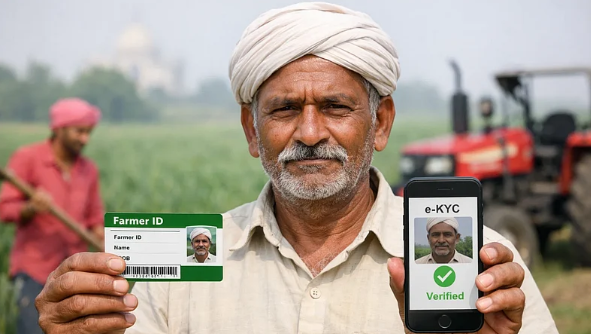
The Pradhan Mantri Kisan Samman Nidhi (PM-KISAN) scheme is a major initiative by the Government of India aimed at providing financial support to small and marginal farmers. An essential step in the PM-KISAN scheme is the electronic Know Your Customer (eKYC) process, which is crucial for beneficiaries to ensure their eligibility for direct benefit transfers. In this article, we will guide you through the steps to complete PM Kisan eKYC online, making it easier for farmers to access their benefits.
Understanding PM Kisan Scheme
Before diving into the eKYC process, it’s essential to understand the PM-KISAN scheme itself. Launched in February 2019, this initiative provides financial assistance of ₹6,000 per year to farmers, distributed in three equal installments. This scheme aims to support farmers in sustaining their agricultural activities and enhancing their livelihoods.
Importance of eKYC in PM-KISAN
The eKYC process is an important part of the PM-KISAN scheme. It ensures that the benefits reach the intended beneficiaries and helps in maintaining the integrity of the database. The eKYC verification process serves as a safeguard to prevent fraudulent claims and ensure transparency in the distribution of funds.
Completing pm kisan ekyc online can make the verification process more convenient for eligible farmers. By using the official PM-KISAN portal and providing the required identification details, beneficiaries can complete the verification process without having to visit an office, provided they meet the applicable requirements.
Requirements for PM Kisan eKYC
Before initiating the eKYC process, ensure that you have the following ready:
- Aadhar Number: Your Aadhar card is mandatory for eKYC. It serves as a primary identification document.
- Mobile Number: Your registered mobile number is essential for receiving OTPs (One Time Passwords) during the verification process.
- Internet Connection: You will need a stable internet connection to access the PM-KISAN official website.
Steps to Complete PM Kisan eKYC Online
Completing PM Kisan eKYC online is a straightforward process. Follow these steps:
Step 1: Visit the Official PM-KISAN Website
Navigate to the official PM-KISAN website at pmkisan.gov.in. Ensure that you are on the authentic site to avoid any fraudulent activities.
Step 2: Click on the eKYC Option
On the homepage, you will find various options. Look for the “eKYC” tab. Click on it to begin the process. You may find this option prominently displayed for easy access.
Step 3: Enter Your Aadhar Number
Once you click on the eKYC option, you will be prompted to enter your 12-digit Aadhar number. Make sure to input the number correctly to avoid errors.
Step 4: Provide Your Mobile Number
After entering your Aadhar number, you will need to input your registered mobile number. The mobile number you enter should match the one linked with your Aadhar to receive the OTP.
Step 5: Receive and Enter OTP
After filling in your details, you will receive an OTP on your registered mobile number. Enter this OTP in the provided field to verify your identity.
Step 6: Complete the Verification Process
Once your OTP is validated, you will receive a confirmation message indicating that your eKYC is successful. This confirms that your Aadhar details have been verified against the government database.
Step 7: Confirmation and Downloading the Aadhar card (If Required)
If needed, you can download the Aadhar card directly from the official UIDAI website (uidai.gov.in). However, for eKYC purposes, the verification status will be sent to your registered mobile number.
What If You Encounter Issues?
If you face any issues during the eKYC process, consider the following solutions:
- Check Your Details: Ensure that the Aadhar number and mobile number are entered correctly.
- Server Issues: Sometimes, the official website might be temporarily down due to high traffic. Try again after some time.
- Contact Support: If problems persist, reach out to the PM-KISAN support team via the contact details available on their website.
PM Kisan Online Apply Process
Once your eKYC is completed successfully, you may want to know how to apply for the PM Kisan scheme online. The application process is also simple:
Step 1: Access the Application Form
Go to the PM-KISAN website and find the “Farmers Corner” tab. Under this section, there is an option for new beneficiaries to apply online.
Step 2: Fill in the Application Form
Here you will find the PM Kisan application form. Fill in your details, including name, address, Aadhar number, and bank details.
Step 3: Submit Documents
Attach necessary documents such as your land documents and Aadhar copy. Make sure to upload clear and legible images.
Step 4: Review and Submit
Once you have filled in all the details and attached documents, review your application for accuracy and complete the submission process.
The pm kisan online apply process allows eligible farmers to submit their application through the official PM-KISAN portal. Before submitting the form, applicants should carefully check their personal, identification, land and bank details to help avoid errors that could affect the processing of their application.
Conclusion
Completing the PM Kisan eKYC online is a crucial step for small and marginal farmers to benefit from this government scheme. By following the outlined steps, farmers can easily ensure their eligibility for the financial assistance provided under the PM-KISAN initiative. Additionally, understanding the broader application process allows farmers to stay informed and engaged, ultimately aiding their agricultural pursuits.
The PM-KISAN scheme represents a significant step towards supporting farmers in India, and completing the eKYC process is essential to ensure that these benefits reach the right individuals. If you haven’t done so already, take charge today and complete your PM Kisan eKYC online!
By ensuring that you are correctly registered, you can avail of the helpful benefits of this scheme, contributing to the overall growth and sustainability of the agricultural sector in our country.


