 WhatsApp Us Now
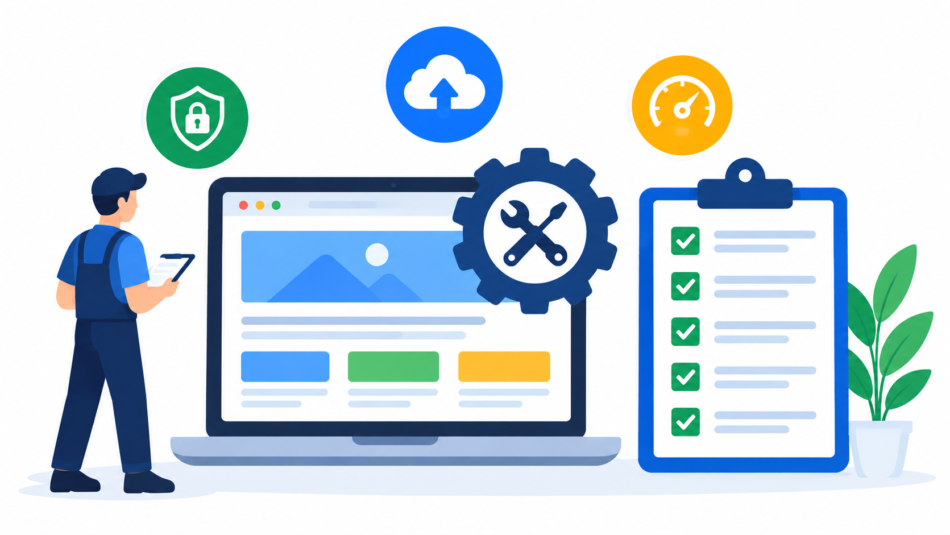
Quick Answer: A website maintenance checklist helps businesses regularly monitor, update, secure, and improve their websites. It can include tasks such as backups, security checks, software updates, broken-link testing, speed monitoring, content updates, and performance reviews.
Following a structured checklist makes website maintenance more consistent and helps identify small technical problems before they become expensive issues.
Introduction
A business website is not something that can simply be created and left unchanged. Once a website goes live, it needs regular attention to remain secure, functional, fast, and useful for visitors. Technology changes, software receives updates, content becomes outdated, links stop working, and security risks can develop over time.
This is why creating a website maintenance checklist is important for businesses of every size. Instead of handling website maintenance only when something goes wrong, a checklist provides a structured way to monitor important areas regularly.
For businesses using professional Website Maintenance Services, a checklist can also make it easier to understand what activities should be performed and how frequently they should be reviewed.
What Is a Website Maintenance Checklist?
A website maintenance checklist is a structured list of tasks that should be completed regularly to keep a website working properly. These tasks can cover technical performance, security, content, backups, SEO, usability, and overall website health.
The exact checklist can vary depending on the website. A simple business website may need fewer maintenance activities than a large eCommerce website with hundreds of products, payment gateways, customer accounts, and third-party integrations.
The main purpose is to make website maintenance proactive rather than reactive.
Why Does Your Business Need a Website Maintenance Checklist?
Without a defined process, important maintenance tasks can easily be forgotten. A business owner may remember to update content but overlook security monitoring, backups, broken links, or software updates.
A checklist creates consistency. It allows teams or maintenance providers to track completed tasks and identify areas that need attention.
Regular maintenance can also help businesses avoid unnecessary downtime, improve user experience, protect website data, and maintain the credibility of their online presence.
1. Check Website Security Regularly
Security should be one of the first items on your checklist. Websites can become vulnerable when software, plugins, themes, or other components are outdated.
Regular security checks can include monitoring for suspicious activity, checking security configurations, reviewing login protection, and ensuring that important software is updated.
Businesses should also monitor SSL status because an expired or incorrectly configured SSL certificate can create browser warnings and reduce visitor trust.
2. Take Regular Website Backups
Backups provide an additional layer of protection when something goes wrong.
Your checklist should specify how frequently website files and databases are backed up and where those backups are stored. Important business websites should ideally have reliable backup and recovery procedures rather than depending on a single copy.
A useful maintenance process should also include checking whether backups can actually be restored when required.
3. Update the CMS, Plugins, and Themes
Websites built using platforms such as WordPress often depend on a combination of core software, plugins, and themes.
These components should be reviewed regularly and updated when appropriate. However, updates should not always be applied blindly. Compatibility should be considered, particularly for websites using multiple plugins or custom functionality.
Creating a backup before major updates can provide additional protection if an update creates an unexpected problem.
4. Find and Fix Broken Links
Broken links can create a poor user experience. They may lead visitors to missing pages, outdated resources, or incorrect destinations.
As part of your website maintenance checklist, regularly test important internal and external links. Pay particular attention to navigation menus, service pages, contact pages, product pages, and important landing pages.
Broken links can also make a website appear neglected, so fixing them should be a routine maintenance activity.
5. Monitor Website Loading Speed
Website performance should be reviewed regularly because slow pages can negatively affect the visitor experience.
Your checklist can include monitoring page-loading performance, image sizes, unnecessary scripts, caching, server response, and other technical factors that influence website speed.
If a website becomes slower over time, investigate the reason instead of simply assuming that the hosting service is responsible. New plugins, large images, excessive scripts, database growth, or poorly optimized code can all contribute to performance problems.
6. Review Website Content
Content should also be included in your maintenance process.
Check whether business information, service descriptions, contact details, pricing information, team information, and other important content are still accurate.
Old announcements, expired offers, outdated statistics, and incorrect contact information should be removed or updated.
Content maintenance is particularly important for businesses because visitors often use websites to decide whether a company appears active, trustworthy, and relevant.
7. Check Forms and Important Functions
A website may look completely normal while an important function is no longer working.
For example, a contact form may stop sending enquiries, a search feature may fail, or a button may lead to the wrong page.
Regularly test important website functions, including:
- Contact forms
- Enquiry forms
- Search functionality
- Login and registration
- Shopping cart
- Checkout
- Payment gateways
- Newsletter forms
- Download links
- Important calls-to-action
The exact checks will depend on the type of business website.
8. Review Mobile Responsiveness
Many visitors access websites through smartphones and tablets. Therefore, your maintenance checklist should include mobile usability checks.
Review important pages on different screen sizes and check whether menus, buttons, images, forms, and content display correctly.
A website may work properly on a desktop computer but still have usability problems on smaller screens.
9. Monitor Domain and Hosting
Domain and hosting management should not be ignored during website maintenance.
Businesses should keep track of domain expiration dates, hosting renewals, server resources, and related account information.
Unexpected domain or hosting issues can make a website unavailable, even when the website itself has no technical error.
Including these checks in your maintenance process can reduce the risk of avoidable downtime.
10. Review SEO-Related Technical Issues
Website maintenance and SEO often overlap. Technical problems can affect how search engines crawl and understand a website.
Your checklist can include checking important redirects, broken pages, indexing issues, duplicate URLs, missing metadata, image optimization, and website structure.
This does not mean that website maintenance replaces a complete SEO strategy. Instead, technical maintenance helps keep the website in a healthier condition for ongoing SEO efforts.
11. Check Analytics and Search Data
Website analytics can help identify problems that are not immediately visible.
Review traffic patterns, important landing pages, referral sources, engagement data, and search performance regularly.
For example, a sudden drop in traffic to an important page may indicate a technical issue, indexing problem, broken link, or change in search visibility.
Using data alongside technical checks makes your maintenance process more effective.
12. Create a Maintenance Schedule
A checklist becomes much more useful when tasks are assigned to a specific schedule.
Daily or Frequent Checks
For websites that receive significant traffic or handle transactions, important checks may include:
- Website availability
- Critical forms
- Transaction functions
- Security alerts
- Server errors
Weekly Checks
Weekly maintenance may include:
- Backup verification
- Broken-link checks
- Security monitoring
- Software update review
- Website performance checks
Monthly Checks
Monthly maintenance can include:
- Content review
- Mobile usability testing
- Analytics review
- Database optimization
- Plugin and theme audits
- Technical SEO checks
Quarterly Checks
Quarterly reviews can go deeper and include:
- Website performance analysis
- Security review
- Content quality assessment
- Conversion-path testing
- Design and usability review
- Hosting resource evaluation
The frequency should depend on the website’s size, traffic, complexity, and business importance.
Website Maintenance Checklist for Different Types of Websites
Not every business needs exactly the same checklist.
A small brochure-style business website may focus mainly on security, backups, content, speed, forms, and software updates.
An eCommerce website needs additional attention to products, inventory integrations, payment gateways, checkout processes, customer accounts, and transactional emails.
A content-heavy website may require more frequent content, database, performance, and broken-link monitoring.
This is why Website Maintenance Services are often customized according to the website’s technical requirements.
Website Maintenance Checklist vs Website Redesign
A checklist can help businesses determine whether their website needs routine maintenance or something more significant.
If the website is functioning properly but needs security updates, content changes, performance improvements, or broken-link fixes, regular maintenance may be sufficient.
However, if the website has outdated architecture, poor mobile usability, major design problems, difficult navigation, or functionality that no longer supports business goals, a redesign may be more appropriate.
This connects directly with the previous topic, Website Maintenance vs Website Redesign, because maintenance keeps an existing website healthy while redesign addresses larger structural or visual changes.
How Professional Website Maintenance Services Can Help
Managing every technical task internally can be difficult, especially for businesses without dedicated web professionals.
Professional Website Maintenance Services can help businesses handle routine updates, backups, security monitoring, performance checks, troubleshooting, content changes, and other maintenance requirements.
A professional maintenance process can also provide a more organized schedule, making it easier to identify completed tasks and unresolved issues.
For businesses comparing Website Maintenance Packages India, it is useful to check whether the package includes the specific tasks your website requires rather than comparing packages based only on price.
Conclusion
A website maintenance checklist gives businesses a practical system for keeping their websites secure, functional, updated, and reliable. Instead of waiting for a website problem to appear, businesses can regularly review the areas that influence performance and user experience.
The most useful checklist should cover security, backups, software updates, broken links, speed, content, forms, mobile responsiveness, hosting, SEO-related technical issues, and analytics. The frequency of these tasks should be adjusted according to the website’s complexity and business requirements.
Regular website maintenance is not simply about fixing problems. It is about protecting the investment already made in a website and ensuring that it continues to support business objectives.
If your business does not have the time or technical resources to manage these tasks consistently, professional Website Maintenance Services can provide ongoing support and structured maintenance.
Need reliable website maintenance for your business website? Contact Us today to discuss your website maintenance requirements and get in touch with our team.
Frequently Asked Question
What should a website maintenance checklist include?
A website maintenance checklist should generally include security checks, backups, software updates, broken-link testing, speed monitoring, content updates, mobile testing, form testing, hosting checks, and technical SEO reviews.
How often should a website maintenance checklist be completed?
The frequency depends on the website. Important checks may be performed weekly, while content, performance, security, and technical reviews can be completed monthly or quarterly.
Is website maintenance necessary for a small business website?
Yes. Even a small website needs regular backups, security updates, software maintenance, content reviews, and performance monitoring.
Can website maintenance improve SEO?
Regular maintenance can help prevent technical issues such as broken links, slow performance, indexing problems, and outdated website components that may affect search visibility and user experience.
When should a business consider a website redesign?
A redesign may be appropriate when the website has major usability, design, mobile, performance, structural, or functionality problems that routine maintenance cannot effectively resolve.
Can a website maintenance company handle the checklist?
Yes. Professional Website Maintenance Services can manage recurring technical, security, performance, content, and troubleshooting tasks according to the website’s requirements.


