 WhatsApp Us Now
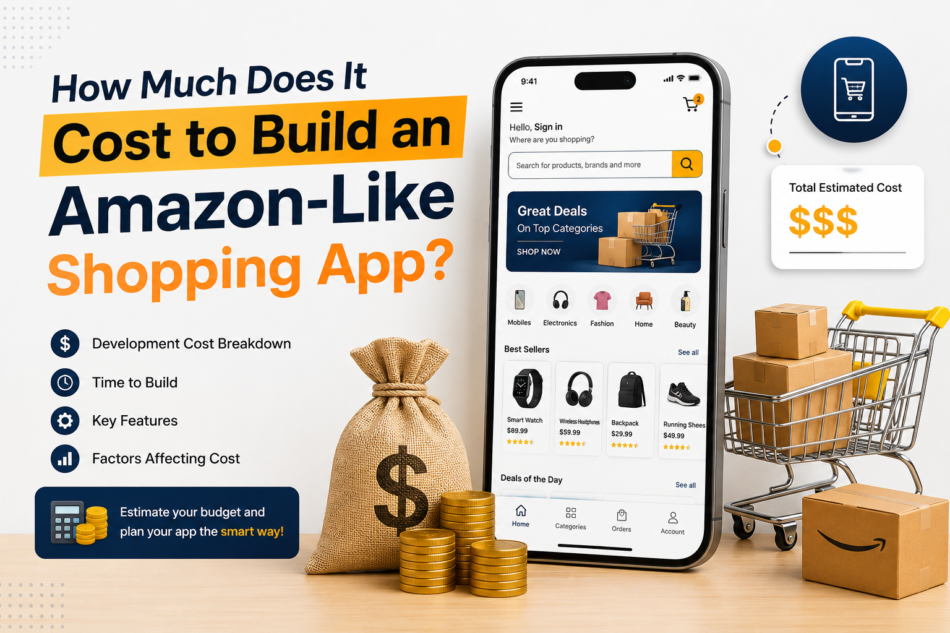
Building an Amazon-like shopping app sounds simple until you look beneath the surface.
At first glance, it may seem like an eCommerce application only needs a product catalog, shopping cart, checkout, and order tracking. In reality, a large marketplace app is a connected digital ecosystem involving customers, sellers, administrators, delivery operations, payments, inventory, search, recommendations, notifications, analytics, and security.
That is why the cost of building an Amazon-like shopping app can vary dramatically from one project to another.
A focused minimum viable product (MVP) may require a relatively controlled investment, while a sophisticated multi-vendor marketplace with artificial intelligence, personalized recommendations, real-time logistics, advanced analytics, and scalable infrastructure can require a much larger budget.
This guide explains the major cost components, development stages, essential features, technology choices, and practical ways to control your budget without sacrificing the foundation of your marketplace.
What Is an Amazon-Like Shopping App?
An Amazon-like shopping app is more than a digital storefront. It typically combines the functions of an online retailer and a marketplace.
Customers can discover products, compare options, place orders, make payments, track shipments, leave reviews, and receive personalized recommendations.
Meanwhile, sellers need their own tools to upload products, manage inventory, process orders, monitor sales, communicate with customers, and analyze performance.
Behind both experiences is an administrative system responsible for managing users, sellers, products, payments, promotions, commissions, disputes, reports, and platform security.
This multi-sided structure is one of the biggest reasons development costs increase.
A basic shopping app primarily solves the problem of selling products online. An Amazon-like marketplace solves several problems simultaneously:
- Product discovery
- Multi-vendor selling
- Inventory management
- Order management
- Payment processing
- Delivery coordination
- Customer support
- Seller management
- Personalized shopping
- Reviews and ratings
- Promotions and loyalty
- Business intelligence
The more of these capabilities you include in the first release, the higher your development cost will be.
How Much Does It Cost to Build an Amazon-Like Shopping App?
As a practical planning estimate, an Amazon-like shopping platform can fall into these broad development ranges:
These numbers are not fixed quotations. They are budgeting ranges intended to help founders understand how scope affects investment.
For example, a single-vendor application with a small product catalog can be considerably less expensive than a marketplace supporting thousands of independent sellers.
Likewise, launching on one mobile platform can cost less than simultaneously developing separate native applications for iOS and Android.
Cloud infrastructure also needs to be considered separately from initial development. Infrastructure expenses can increase as traffic, storage, transactions, media, and backend workloads grow. Cloud providers such as AWS offer usage-based infrastructure, making the eventual operating cost dependent on consumption rather than simply the initial application build. Amazon Web Services+1
What Determines the Cost of an Amazon-Like App?
There isn’t one universal price because several variables influence the final budget.
1. App Complexity
The first and most important factor is functionality.
A simple marketplace might include:
- Registration and login
- Product browsing
- Search
- Product details
- Cart
- Checkout
- Payment
- Order history
- Basic notifications
An advanced marketplace may add:
- Multiple seller accounts
- Seller dashboards
- Commission management
- Advanced product filtering
- AI recommendations
- Dynamic pricing
- Multiple payment methods
- Delivery integrations
- Real-time tracking
- Loyalty programs
- Subscription memberships
- Multilingual support
- Multi-currency transactions
- Fraud detection
- Advanced analytics
Every additional workflow creates development, testing, design, infrastructure, and maintenance requirements.
2. Number of Platforms
Your target platforms also affect the budget.
You could start with:
- Android
- iOS
- Cross-platform mobile
- Mobile web
- Desktop web
Developing separate native iOS and Android applications generally requires more work than using a carefully planned cross-platform architecture.
However, cross-platform development should not automatically be treated as the cheapest solution. If your goal is to create app like Amazon, the right approach depends on the application’s performance requirements, device features, development team, and long-term product strategy. While cross-platform frameworks can help reduce development time and reach multiple platforms efficiently, native development may be a better choice for applications requiring advanced performance, deeper device integration, or highly customized platform-specific features.
For businesses validating an idea, starting with one platform or a cross-platform MVP can be a practical way to control initial expenditure.
3. UI/UX Design
Shopping applications compete heavily on experience.
Users should be able to search, compare, purchase, and track products without unnecessary friction.
The design phase can include:
- User research
- Customer journeys
- Wireframes
- Interactive prototypes
- Visual design
- Design systems
- Seller dashboard design
- Admin dashboard design
- Usability testing
An Amazon-like application may have hundreds of individual interface states when customer, seller, delivery, payment, and administrative workflows are considered.
A polished design therefore represents much more than creating attractive product screens.
4. Backend Development
The backend is the engine behind the shopping experience.
It handles everything from authentication and product information to orders and payments.
A marketplace backend may need to manage:
- User accounts
- Seller accounts
- Product catalogs
- Categories
- Product variants
- Inventory
- Shopping carts
- Orders
- Payments
- Refunds
- Coupons
- Commissions
- Reviews
- Notifications
- Delivery information
- Analytics
The backend must also be designed for growth.
An application that works perfectly with 500 daily users may behave very differently when thousands or millions of customers begin browsing and purchasing simultaneously.
That makes scalability an architectural consideration from the beginning rather than an issue to solve after launch.
5. Marketplace Features
Multi-vendor functionality can significantly increase development complexity.
For example, imagine one customer purchasing three products from three different sellers.
The platform may need to:
- Accept one customer order.
- Split the order internally.
- Assign products to different sellers.
- Calculate seller commissions.
- Track separate fulfillment processes.
- Calculate applicable taxes or fees.
- Manage different delivery timelines.
- Process returns independently.
- Reconcile payments.
- Display a unified order experience to the customer.
This is considerably more complicated than processing an order from one store.
Essential Features for an Amazon-Like Shopping App
A sensible development strategy is to separate features into customer-facing, seller-facing, and administrative systems.
Customer App
The customer application should typically include:
Registration and authentication
Customers should be able to create accounts using email, phone number, or supported social authentication methods.
Home screen
The home experience can showcase categories, promotions, trending products, personalized suggestions, and recently viewed items.
Product search
Search is one of the most important components of a marketplace. Users should be able to find products using keywords, filters, sorting, categories, brands, price ranges, and other attributes.
Product details
A product page can include images, videos, descriptions, specifications, variants, pricing, availability, reviews, seller information, delivery information, and related products.
Shopping cart
Customers should be able to add multiple products, change quantities, remove products, save products for later, and review pricing before checkout.
Checkout
A streamlined checkout experience can include shipping addresses, delivery options, coupons, taxes, payment selection, and order confirmation.
Payments
Payment integration can support the methods relevant to your target market, such as cards, bank-based payments, digital wallets, or other regional options.
Payment architecture deserves particular attention. For example, Google recommends using a secure backend for billing-related operations such as purchase verification and handling real-time billing notifications. Android Developers
Order tracking
Customers should be able to see whether an order is confirmed, processed, shipped, out for delivery, delivered, or undergoing another status.
Reviews and ratings
Reviews can help customers evaluate products while providing sellers with valuable feedback.
Push notifications
Notifications can be used for order updates, price changes, promotions, abandoned carts, delivery events, and personalized recommendations.
Seller App or Dashboard
A serious marketplace also needs powerful seller functionality.
Sellers may require:
- Seller registration
- Identity verification
- Product management
- Inventory management
- Order management
- Pricing controls
- Coupon management
- Sales analytics
- Earnings reports
- Return management
- Customer communication
- Shipping configuration
Seller functionality is often underestimated during initial planning.
If sellers cannot efficiently manage their businesses, the marketplace may struggle regardless of how polished the customer application looks.
Admin Panel
The admin panel acts as the control center.
It may include:
- Customer management
- Seller approval
- Product moderation
- Category management
- Order management
- Commission management
- Payment monitoring
- Refund management
- Coupon management
- Content management
- Review moderation
- Reports
- Analytics
- Customer support tools
- Fraud and security controls
For a large marketplace, the admin panel can become almost as complex as the customer application.
Advanced Features That Increase Development Cost
Once the core marketplace is working, advanced capabilities can differentiate the product.
AI-Powered Recommendations
Recommendation systems can analyze customer behavior and product relationships to suggest relevant products.
Instead of showing the same products to every visitor, the platform can personalize recommendations based on browsing, purchasing, search, preferences, and other behavioral signals.
However, AI adds more than an interface button. It can require data pipelines, model development or third-party services, experimentation, monitoring, and ongoing optimization.
Visual Search
Customers can upload an image and search for visually similar products.
This can create a more engaging shopping experience, particularly for fashion, furniture, home décor, and lifestyle marketplaces.
Voice Search
Voice-based shopping can allow customers to search for products without typing.
Personalized Offers
The system can provide different promotions based on customer behavior, purchasing patterns, product interests, or loyalty status.
Subscription or Membership Programs
A marketplace can introduce recurring membership benefits such as special pricing, shipping benefits, exclusive offers, or other perks.
Real-Time Delivery Tracking
Integration with logistics providers can allow customers to monitor shipments and delivery progress.
Fraud Detection
As transaction volume increases, fraud prevention becomes increasingly important. Automated risk checks, unusual-activity monitoring, payment verification, and manual review workflows can all become part of the platform.
Estimated Cost by Development Stage
Breaking the project into stages can make the budget easier to understand.
Discovery and Planning: $3,000–$10,000
This stage may include:
- Business analysis
- Competitor research
- Requirements
- User journeys
- Technical architecture
- Feature prioritization
- Project roadmap
UI/UX Design: $5,000–$20,000
Costs depend on the number of screens, user roles, design complexity, prototyping requirements, and research depth.
Mobile App Development: $20,000–$80,000+
The range depends on whether you are developing one platform, two native applications, or a cross-platform product.
Backend Development: $20,000–$100,000+
A sophisticated marketplace backend requires substantially more engineering than a basic eCommerce API.
Admin and Seller Panels: $10,000–$50,000+
These dashboards can include complex workflows for inventory, sellers, orders, payments, reports, and moderation.
QA and Testing: $5,000–$25,000+
Testing can cover functional testing, API testing, payment testing, security checks, device compatibility, performance, and regression testing.
Launch and Maintenance
Launching the application is not the end of the project.
You may need ongoing resources for:
- Bug fixes
- Security updates
- OS compatibility
- Server management
- Performance optimization
- New features
- Third-party API updates
- Customer support
- Analytics
- Continuous testing
Technology Stack for an Amazon-Like Marketplace
The technology stack should be selected according to business requirements rather than popularity alone.
A possible architecture could include:
Mobile: Flutter, React Native, Swift, or Kotlin
Web: React, Next.js, or another modern web framework
Backend: Node.js, Java, Python, or similar technologies
Database: PostgreSQL, MySQL, MongoDB, or a combination depending on data requirements
Search: Elasticsearch, OpenSearch, or another specialized search solution
Cloud: AWS, Google Cloud, Microsoft Azure, or another suitable provider
Analytics: Product analytics and business intelligence tools
Payments: A payment gateway appropriate to the target market
Notifications: Push notification infrastructure and transactional messaging services
There is no requirement to copy Amazon’s technology architecture simply because the product is Amazon-like.
The objective should be to create an architecture that is reliable, secure, scalable, and economically appropriate for your expected growth.
How to Reduce the Cost Without Building a Weak Product
The goal should not be to make everything cheap. It should be to spend money where it creates the most business value.
Start With an MVP
Instead of launching every possible feature, identify the smallest version capable of proving the business model.
An initial marketplace might include:
- Customer registration
- Product catalog
- Search
- Product pages
- Cart
- Checkout
- Payments
- Orders
- Basic seller management
- Basic admin management
Advanced AI, sophisticated loyalty systems, visual search, and complex automation can come later.
Use Third-Party Services Strategically
You don’t necessarily need to build every component internally.
Payment gateways, maps, messaging, analytics, cloud storage, search services, and notification infrastructure can often be integrated rather than developed from scratch.
This can reduce development time, although third-party service fees and dependency risks should be included in the long-term business plan.
Choose Cross-Platform Development When Appropriate
A cross-platform approach can allow a business to reach multiple mobile platforms from a shared development foundation.
It isn’t suitable for every application, but it can be effective for startups that want to validate their concept before investing in separate native implementations.
A related approach is a progressive web application, which can provide a mobile-friendly experience from a shared web codebase. Some cloud development approaches specifically emphasize one codebase across devices as a way to reduce ongoing development and maintenance work. Amazon Web Services
Build for Scale, Not for Maximum Scale
There is an important difference.
You should create a foundation that can grow, but you do not necessarily need to pay on day one for infrastructure designed to handle Amazon’s global traffic.
Your architecture should have a path to scale without forcing the first release to carry unnecessary enterprise complexity.
Hidden Costs You Should Include in Your Budget
The development quotation is only one part of the financial picture.
Other costs can include:
- Cloud hosting
- Database and storage
- Third-party APIs
- Payment gateway fees
- SMS and email
- App store accounts
- Security testing
- Monitoring tools
- Analytics
- Customer support
- Marketing
- Content creation
- Product photography
- Legal and compliance work
- Maintenance
- Infrastructure scaling
Cloud costs in particular should be treated as an operating expense rather than a one-time development cost. Usage-based cloud services can change as application traffic and data consumption grow. Amazon Web Services
A Better Way to Think About the Budget
Instead of asking only, “How much does an Amazon-like app cost?”, ask three questions:
What must the product do at launch?
This establishes the MVP scope.
What must the product do after product-market fit?
This identifies the second phase of investment.
What infrastructure will be required if the business succeeds?
This prevents architectural decisions from becoming expensive obstacles later.
For example, a startup might allocate its first development phase to customer purchasing, seller onboarding, order management, payments, and an admin panel.
Once transactions begin growing, the business could invest in advanced recommendations, improved search, logistics automation, loyalty, AI, and deeper analytics.
This phased strategy allows the product to evolve according to actual customer behavior rather than assumptions.
Final Thoughts
Building an Amazon-like shopping app is a substantial technology project, but you do not have to recreate every feature of Amazon on day one.
A realistic starting budget could range from approximately $25,000 for a focused eCommerce MVP to $200,000 or considerably more for a sophisticated multi-vendor marketplace. Large-scale platforms with extensive automation, AI, logistics, personalization, and enterprise-grade infrastructure can move well beyond that range.
The most important cost decision is therefore not choosing the cheapest development team. It is defining the right product scope.
Start with the customer problem. Identify the essential marketplace workflows. Design a scalable technical foundation. Integrate proven third-party services where they make sense. Then expand the product based on real usage, revenue, and customer feedback.
An Amazon-like experience is ultimately not created by copying Amazon’s feature list. It is created by building a shopping ecosystem that makes discovery, purchasing, fulfillment, and repeat buying remarkably easy for your particular customers.