 WhatsApp Us Now
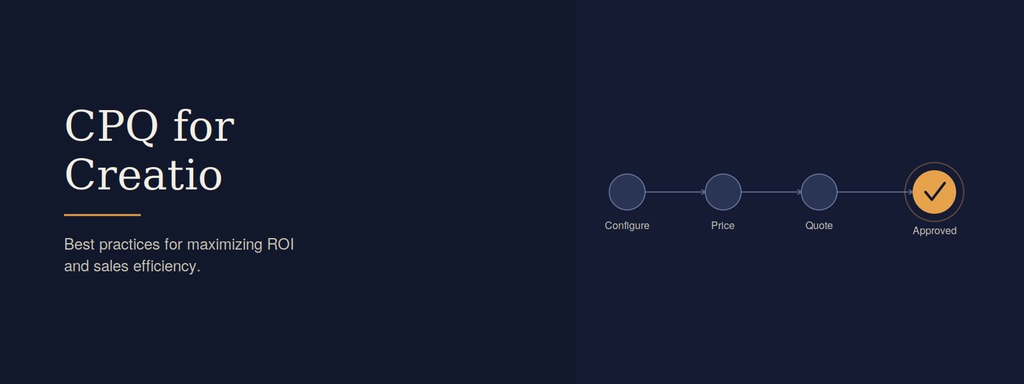
CPQ for Creatio is what a lot of sales teams reach for once they realize how much time gets lost to manual quoting. If your reps are still building quotes in spreadsheets, chasing approvals over email, and double-checking pricing by hand, you already know how much friction that adds to every deal.
These issues rarely stay small. A pricing error that slips through can shrink margins on an entire deal. An approval that sits in someone’s inbox for two days can stall momentum right when a prospect is ready to sign. And reps who spend hours assembling quotes have that much less time actually selling.
CPQ for Creatio was built to remove exactly this kind of friction. By automating quoting, pricing, and approvals inside the Creatio platform, it gives sales teams a faster, more accurate way to move deals forward. This article walks through what CPQ for Creatio actually does, the best practices for getting real ROI from it, and where the technology is headed next.
Featured Snippet: What Is CPQ for Creatio?
CPQ for Creatio is a configure-price-quote solution built into the Creatio platform that automates how sales teams create quotes, apply pricing rules, and manage approvals. It reduces manual errors, speeds up quote turnaround, and helps sales teams close deals faster with consistent, accurate pricing.
What Is CPQ for Creatio?
At a basic level, Creatio CPQ is software that automates the process of configuring a product, pricing it correctly, and generating a quote a customer can act on. Instead of a rep manually calculating discounts or checking product compatibility, the system handles it based on rules that are set up in advance.
What makes CPQ for Creatio specifically useful is that it lives inside the same platform sales teams already use for CRM, pipeline management, and workflow automation. There’s no separate tool to log into, and no data to manually sync between systems.
This matters because CPQ software is only as effective as the data it’s working from. When pricing, product, and customer information all live in one connected system, quotes come out accurate the first time, not after a few rounds of corrections.
How CPQ for Creatio Improves Sales Efficiency
Manual quoting eats up more time than most sales leaders realize. Reps often spend hours per week just assembling quotes, checking pricing tables, and routing documents for approval.
CPQ for Creatio removes most of that manual work. Product configuration rules stop reps from creating invalid or incompatible quotes, pricing logic applies discounts automatically within approved limits, and approval workflows route only the quotes that actually need a manager’s sign-off.
The result is a form of sales automation that lets reps spend more time with prospects and less time on paperwork. Quotes that used to take a day or two can often be generated in minutes, which shortens the overall sales cycle and keeps deals moving while interest is still high.
Best Practices for Maximizing ROI with CPQ for Creatio
Buying the software is the easy part. Getting real return on investment depends on how well it’s set up and adopted.
Start with clean product and pricing data. CPQ for Creatio can only be as accurate as the catalog and pricing rules behind it. Audit this data before go-live rather than migrating outdated or duplicate records.
Build approval workflows around actual risk, not habit. Route high-discount or non-standard deals to managers, but let standard quotes move through automatically. Approval bottlenecks are one of the most common reasons ROI stalls.
Train reps on the “why,” not just the “how.” Reps adopt tools faster when they understand that CPQ for Creatio removes tedious steps rather than adding new ones to memorize.
Review pricing rules on a regular cadence. Markets shift, and pricing logic that made sense a year ago may now be costing margin. Quarterly reviews keep the system aligned with current strategy.
Track quote-to-close metrics from day one. Without a baseline, it’s hard to prove the platform’s impact later.
Key Features of a Modern Creatio CPQ Solution
Not every implementation includes the same capabilities, but a strong Creatio CPQ setup typically includes:
- Guided product configuration that prevents invalid combinations before a quote is even generated.
- Dynamic pricing rules that apply discounts, bundles, and volume pricing automatically.
- Approval automation that routes quotes based on discount thresholds or deal size.
- Contract and document generation that pulls approved quote data directly into customer-facing paperwork.
- Reporting on quote velocity and win rates, so teams can see where deals are speeding up or stalling.
Platforms like Mobileforce show what this looks like in practice — a modern CPQ and revenue operations platform built around this kind of end-to-end automation, from configuration through to closed deal.
Common Challenges and How CPQ Solves Them
Even well-run sales teams run into recurring problems that manual quoting makes worse.
Pricing errors are one of the most costly. A rep manually applying a discount can easily make a mistake that erodes margin. CPQ software prevents this by enforcing pricing rules automatically, so no quote leaves the system with an unapproved discount.
Approval delays are another common bottleneck. When approvals sit in email threads, deals lose momentum. Automated routing sends each quote directly to the right approver, with visibility into where it sits in the process.
Inconsistent quotes across reps also create problems, especially for larger deals with multiple stakeholders. Standardized templates and pricing logic mean two reps working similar deals produce consistent, professional quotes every time.
Measuring ROI from CPQ Implementation
ROI from CPQ for Creatio shows up in a few measurable places. Quote turnaround time is the easiest to track — compare how long it took to generate and send a quote before implementation versus after.
Win rates are another strong indicator. Faster, more accurate quotes tend to close at a higher rate simply because prospects aren’t left waiting or confused by pricing errors.
It’s also worth tracking discount leakage, meaning how often deals close below approved pricing thresholds. A well-configured CPQ system should reduce this significantly, since discounts outside policy get flagged before a quote goes out.
Finally, look at rep productivity. If reps are spending less time on quote administration, that time should be visible in pipeline activity and deal volume per rep.
Future Trends in CPQ and Revenue Operations
CPQ platforms are increasingly connecting to broader revenue operations systems rather than functioning as a standalone quoting tool. This means pricing, forecasting, and customer success data are starting to inform each other in real time.
AI is also playing a growing role, particularly in recommending optimal pricing based on historical deal data and suggesting configurations that are more likely to close. Expect this to expand into predictive deal scoring, where CPQ systems flag which quotes are likely to need negotiation before a rep even sends them.
As more sales teams adopt this connected approach, CPQ software is shifting from a quoting utility into a core part of how revenue teams plan and forecast growth.
Key Takeaways
- CPQ for Creatio automates product configuration, pricing, and approvals inside the Creatio platform.
- Clean data and well-designed approval workflows are essential for real ROI.
- Sales automation through CPQ shortens quote turnaround and reduces pricing errors.
- ROI is best measured through quote velocity, win rates, and discount leakage.
- AI and revenue operations integration are shaping where CPQ software is headed next.
Turning Faster Quotes Into Stronger Sales Performance
Getting quoting right isn’t a small operational detail — it directly affects how fast deals close and how much margin a business keeps along the way. CPQ for Creatio addresses both sides of that equation by automating the manual work that used to slow sales teams down.
The organizations that get the most out of it aren’t just the ones who implement the software. They’re the ones who invest in clean data, sensible approval rules, and ongoing review of their pricing logic. That’s what turns CPQ for Creatio from a quoting tool into a real driver of sales efficiency and ROI.
If your team is still routing quotes through email threads and spreadsheets, that’s usually the clearest sign it’s time to look at what automated quoting could do for your sales process.
Frequently Asked Questions
What is CPQ for Creatio used for? It’s used to automate the process of configuring products, applying accurate pricing, and generating quotes, all within the Creatio platform.
How does CPQ for Creatio improve sales efficiency? It removes manual quoting steps, applies pricing rules automatically, and routes approvals only where needed, which shortens the time it takes to move a deal from quote to close.
How is ROI measured after a CPQ implementation? ROI is typically measured through quote turnaround time, win rates, reduced discount leakage, and improved rep productivity compared to pre-implementation baselines.
Does CPQ software eliminate the need for manual approvals? No — it automates routine approvals while still routing higher-risk or non-standard quotes to the right manager, so oversight stays in place where it matters.
How does CPQ for Creatio support sales automation beyond quoting? Because it sits inside the Creatio platform, it connects quoting data to broader workflows like contract generation, pipeline tracking, and reporting, extending automation beyond just the quote itself.


