 WhatsApp Us Now

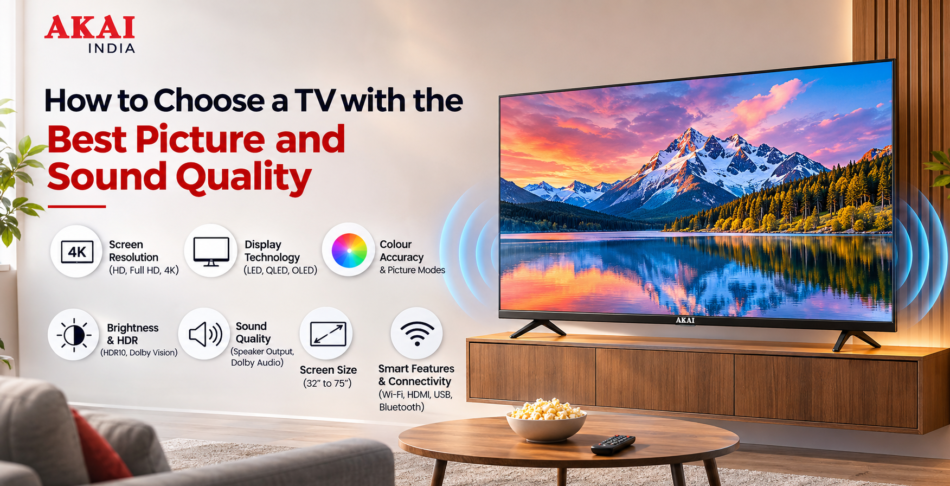
Buying a new TV involves more than selecting a screen size or choosing a model that fits your budget. Picture clarity, colour accuracy, contrast, brightness and sound performance all influence how enjoyable your viewing experience will be. Whether you watch movies, follow live sports, stream web series or play video games, choosing the right television can make a noticeable difference.
With several options available, including LED TVs, Smart TVs, Full HD TVs and 4K televisions, comparing specifications can become confusing. Some models offer impressive picture resolution but basic audio performance, while others provide useful connectivity and entertainment features that improve everyday convenience.
If you are planning to buy a TV for your living room or bedroom, understanding the features that affect picture and sound quality will help you make a better decision. This guide explains what to check, which specifications matter and how to select a television that delivers a balanced viewing experience.
1. Start by Choosing the Right TV Screen Resolution
Screen resolution is one of the first specifications to consider when buying a television. It determines how many pixels are used to create the picture. A higher resolution can display more detail, particularly when watching high-quality content.
However, the best resolution for your home depends on your screen size, viewing distance, content preferences and budget.
Understanding Different TV Resolutions
HD Ready TV
HD Ready televisions are generally suitable for smaller screens and basic everyday viewing. They can work well for watching regular television channels, news and other standard content.
Full HD TV
A Full HD TV offers a resolution of 1920 × 1080 pixels. It provides more detail than an HD Ready television and is a practical option for users who primarily watch regular HD content.
4K Ultra HD TV
A 4K TV offers 3840 × 2160 pixels, providing four times as many pixels as a Full HD television. This higher resolution is useful for larger screens, high-quality streaming content and detailed movie playback.
Before choosing a 4K television, check whether your preferred streaming platforms and devices support 4K content. Otherwise, you may not experience the full benefit of the additional resolution.
Buying tip: If you are purchasing a 43-inch or larger TV and regularly stream high-resolution movies or shows, consider comparing 4K options with Full HD models available in your budget.
2. Check the Display Technology for Better Picture Quality
Resolution is important, but it is not the only factor responsible for picture quality. Display technology also affects brightness, contrast, colour reproduction and viewing angles.
LED TV
LED televisions use an LCD panel with LED backlighting. They are popular for everyday home entertainment because they offer different screen sizes and price options.
When comparing LED TVs, pay attention to brightness levels, contrast performance and panel quality rather than relying only on the LED label.
QLED TV
QLED televisions use quantum dot technology to improve colour reproduction and brightness. They can be worth considering if you frequently watch movies, sports and other visually detailed content.
OLED TV
OLED televisions use self-emissive pixels, meaning each pixel produces its own light. This allows them to deliver deep blacks and strong contrast. They are often considered by buyers who prioritise cinematic picture quality.
Your choice should depend on how you watch television, the lighting conditions in your room and the amount you are comfortable spending.
3. Look for Accurate Colours and Natural Picture Quality
A television should display colours that look natural rather than excessively bright or artificial. Colour reproduction becomes particularly important when watching movies, nature documentaries, sports and high-quality streaming content.
For example, a football match should display natural grass colours, while skin tones in movies should look realistic.
When comparing different TV models, consider the following:
- Colour reproduction: Check whether colours look balanced and natural.
- Colour consistency: Look for uniform colour performance across different parts of the screen.
- Colour modes: Picture presets such as Standard, Cinema, Vivid and Sports can help adjust the viewing experience.
- Colour adjustment: Check whether the television allows you to customise brightness, saturation, sharpness and other picture settings.
Avoid choosing a TV simply because its display looks extremely bright in a showroom. Retail demonstration modes are often designed to attract attention and may not represent normal home viewing.
A good approach is to compare televisions using the same video content and similar picture settings.
4. Understand Contrast Ratio and Black Levels
Contrast describes the difference between the brightest and darkest areas of an image. It has a direct impact on how detailed and realistic pictures appear.
For example, when watching a night-time movie scene, a television with better contrast can make dark backgrounds look deeper while retaining visible details in shadows.
Good contrast performance is useful for:
- Watching movies with dark scenes.
- Viewing content with bright and dark areas together.
- Playing games with detailed graphics.
- Watching nature and wildlife documentaries.
When comparing televisions, check their contrast performance and local dimming capabilities, if available.
Local dimming allows compatible displays to control different backlighting zones independently. This can improve contrast, although the actual result depends on the number of zones and overall panel performance.
Do not judge picture quality using contrast ratio specifications alone. Real-world viewing performance is equally important.
5. Check Brightness and HDR Support
Brightness determines how clearly a television displays images under different lighting conditions.
If your living room receives plenty of natural sunlight, a TV with suitable brightness and effective reflection handling can make daytime viewing more comfortable.
HDR, or High Dynamic Range, is another feature worth checking.
HDR technology helps compatible televisions display a wider range of brightness and colour information. It can make highlights appear more detailed while retaining information in darker parts of an image.
Common HDR formats include:
- HDR10
- HDR10+
- Dolby Vision
- HLG
Not every television supports every HDR format. Also, simply having an HDR label does not guarantee an impressive HDR experience. The display’s actual brightness, contrast and colour performance matter.
If you regularly watch HDR movies and streaming content, compare both HDR format compatibility and display performance before purchasing.
6. Choose the Right TV Screen Size for Your Room
Screen size affects how immersive your viewing experience feels. However, buying the biggest television available is not always the right decision.
You should consider the dimensions of your room, the distance between your seating position and the screen, and where the television will be installed.
Here are some general screen-size considerations:
- 32-inch TV: Suitable for compact bedrooms, kitchens and smaller spaces.
- 43-inch TV: A practical option for bedrooms and medium-sized rooms.
- 50-inch TV: Works well in many living rooms where a larger display is preferred.
- 55-inch TV: Suitable for users who want a more immersive movie and sports viewing experience.
- 65-inch TV: Worth considering for larger living rooms and longer viewing distances.
- 75-inch TV: Designed for spacious rooms where viewers can maintain a comfortable distance from the screen.
These are general recommendations rather than strict rules. Your ideal screen size will depend on the television’s resolution, seating distance and personal preference.
Before ordering a TV online, measure the available wall or cabinet space. Also check the television’s overall dimensions, including its stand, rather than relying only on the advertised screen size.
7. Do Not Ignore TV Sound Quality
Picture quality often receives the most attention during television shopping, but sound quality is equally important.
A television with excellent visuals can still provide a disappointing experience if dialogue is difficult to understand or audio sounds weak.
For everyday viewing, check the following audio specifications.
Speaker Output
TV speaker output is commonly mentioned in watts. It gives you an idea of the speaker system’s rated power, but higher wattage does not automatically mean better sound.
Speaker design, cabinet construction, audio processing and room acoustics also influence the final result.
If you watch movies regularly, look for a television that offers clear dialogue and balanced sound at different volume levels.
Dolby Audio Support
Some televisions include Dolby Audio technologies to improve compatible audio playback.
Depending on the implementation and supported content, these technologies can help provide a more engaging listening experience.
Check the specific audio formats supported by the TV rather than assuming that every Dolby-branded feature works in the same way.
Sound Modes
Different sound modes can help adjust audio for particular types of content.
Common options include:
- Standard Mode: Suitable for regular television programmes.
- Movie Mode: Designed for movie and entertainment playback.
- Music Mode: Adjusts audio for music content.
- Sports Mode: Can help make commentary and match audio more prominent.
- News Mode: May prioritise speech clarity.
The availability and performance of these modes vary by television model.
8. Check Connectivity Options Before Buying a Smart TV
Connectivity is another important buying consideration, particularly if you plan to connect gaming consoles, streaming devices, soundbars or external storage.
A modern Smart TV should offer connectivity options that support your regular entertainment requirements.
Important TV Connectivity Features
HDMI Ports: HDMI connections allow you to connect devices such as gaming consoles, laptops, streaming players and set-top boxes. Check the number of available ports and supported HDMI standards.
USB Ports: USB connectivity is useful for playing compatible media files and connecting supported external devices.
Wi-Fi: Built-in Wi-Fi allows you to connect your television to the internet and access supported streaming applications.
Bluetooth: Bluetooth can be useful for connecting compatible wireless headphones, speakers and other accessories.
Optical Audio Output: This connection can be useful when connecting certain soundbars and home theatre systems.
If you own multiple entertainment devices, count how many ports you actually need before selecting a model.
9. Consider a Smart TV for Better Entertainment Options
A Smart TV offers internet connectivity and access to supported applications, making it easier to stream movies, television shows and online videos.
Instead of depending entirely on traditional television channels, you can access compatible entertainment services through the television itself.
Before purchasing a Smart TV, check:
- Supported streaming applications.
- Operating system and interface.
- Wi-Fi connectivity.
- Available internal storage.
- App installation and update support.
- Screen mirroring or casting compatibility.
- Processor performance and interface responsiveness.
Also check whether the applications you use regularly are available on the television’s operating system.
A television with useful smart features can be a convenient choice for families who regularly switch between live television, online videos and streaming platforms.
10. Look for Gaming-Friendly Picture and Sound Features
If you play games on a console or PC, your TV should support the features required by your gaming setup.
Apart from screen resolution, consider the following:
Refresh Rate: A higher refresh rate can display more frames per second when the connected device and content support it. A native 120Hz panel can be useful for compatible gaming systems.
Input Lag: Lower input lag helps reduce the delay between pressing a controller button and seeing the action on the screen.
ALLM: Auto Low Latency Mode can automatically switch a compatible TV into a lower-latency gaming mode.
VRR: Variable Refresh Rate helps synchronise the display refresh rate with a compatible gaming device to reduce screen tearing.
HDMI 2.1: This standard supports advanced features useful for compatible gaming devices, depending on the implementation.
If gaming is not a major priority, you may not need to spend extra on all these features. Choose specifications based on the devices you actually use.
11. Consider Your Room Lighting and Viewing Angle
The same TV can look different depending on where it is installed.
A television placed opposite a large window may experience reflections during daytime viewing. Similarly, a TV with limited viewing angles may show changes in colour and contrast when watched from the side.
Before buying, consider:
- Whether the room receives direct sunlight.
- Whether you mainly watch TV during the day or at night.
- Whether multiple family members watch from different seating positions.
- Whether the television will be wall-mounted or placed on a cabinet.
- Whether the screen is positioned at a comfortable viewing height.
If your family usually watches television from different corners of a large living room, viewing-angle performance should be part of your comparison.
12. Compare TV Prices Based on Features and Long-Term Value
A television’s price depends on several factors, including screen size, resolution, display technology, audio specifications, smart features and connectivity.
Instead of choosing the cheapest model, compare what you receive within your budget.
For example, a lower-priced television may offer a larger screen but fewer connectivity options. Another model may cost more because it supports 4K resolution, advanced HDR formats or better gaming features.
Before making a purchase, compare:
- Screen size and resolution.
- Display technology and brightness.
- Picture processing features.
- Speaker output and supported audio formats.
- Smart TV operating system.
- HDMI and USB connectivity.
- Warranty coverage.
- Installation and after-sales support.
Also check the latest offers, exchange benefits and payment options available when purchasing online.
A good purchase is one that meets your everyday entertainment requirements without making you pay extra for features you will rarely use.
13. Explore TV Options from Akai India
When comparing television brands, it is important to look beyond the screen size and advertised specifications.
Akai India offers TV options for consumers looking for home entertainment solutions across different requirements. While evaluating its TV range, compare the available models based on screen size, resolution, display technology, sound output and smart connectivity.
Before selecting a particular Akai TV, check the product specifications carefully to understand what each model offers.
Consider these questions:
- Does the screen size suit your room?
- Does the resolution match your viewing requirements?
- Are the available connectivity options sufficient?
- Does the audio system provide the sound performance you expect?
- Does the television support the streaming applications you use?
- Are the warranty and service terms suitable for your purchase?
Comparing these details will help you identify an option that matches your entertainment needs and budget.
14. Common Mistakes to Avoid When Buying a TV
Even after comparing several models, buyers sometimes overlook important details that affect everyday performance.
Here are some mistakes worth avoiding:
Choosing Screen Size Without Measuring the Room
A large screen may look impressive online, but it might not suit a compact bedroom. Measure your available space and consider your seating distance before purchasing.
Focusing Only on Resolution
A 4K label does not automatically guarantee better picture quality. Brightness, contrast, colour reproduction and image processing also matter.
Ignoring Audio Specifications
Do not assume that every television offers the same sound performance. Check speaker output, audio technologies and sound settings.
Not Checking HDMI Ports
If you use a set-top box, gaming console and soundbar, insufficient HDMI ports can become inconvenient.
Overlooking Smart TV Compatibility
Check whether the operating system supports your preferred streaming applications and offers the features you need.
Ignoring Warranty and Service Support
Review warranty coverage, installation terms and service availability before placing your order.
Buying Based Only on Discounts
A discounted television is not necessarily the best value. Compare specifications and after-sales support before making your final decision.
Frequently Asked Questions
1. Which TV is best for picture and sound quality?
The best TV depends on your budget, viewing habits and room conditions. Look for good resolution, colour accuracy, contrast, suitable brightness and clear audio performance. If you prefer cinematic viewing, compare 4K models with advanced display and audio features.
2. Is 4K better than Full HD for everyday TV viewing?
Yes, 4K offers four times the pixel count of Full HD and can display more detail. However, the difference is more noticeable on larger screens and when watching compatible high-resolution content.
3. What is the ideal TV size for a living room?
A 50-inch or 55-inch TV can be a suitable choice for many living rooms. However, the ideal size depends on seating distance, room dimensions and personal viewing preferences.
4. Does higher speaker wattage mean better TV sound?
Not necessarily. Speaker wattage indicates rated power, but sound quality also depends on speaker design, audio processing, clarity and room acoustics. Always compare actual listening performance.
5. Is a Smart TV better than a regular LED TV?
A Smart TV offers internet connectivity and access to supported streaming applications. A regular non-smart LED TV is more suitable for users who primarily watch content through a set-top box or external device. Smart TVs can also use LED display technology, so these terms are not mutually exclusive.
6. What should I check before buying a TV online?
Check screen size, resolution, display technology, brightness, speaker output, connectivity, supported applications, warranty, installation terms and return policy. Always review the complete specifications of the selected model.
7. Is HDR important when choosing a television?
HDR can improve the range of brightness and colour details in compatible content. However, the actual benefit depends on the television’s display capabilities, including brightness and contrast performance.
8. Can I improve my TV’s sound quality without replacing it?
Yes. You can connect a compatible soundbar or home theatre system to improve audio performance. Depending on your television and audio equipment, HDMI ARC/eARC, optical output or Bluetooth may be available.
Conclusion
Choosing a TV with the best picture and sound quality requires more than comparing screen sizes and prices. Resolution, display technology, colour accuracy, contrast, brightness and audio performance all contribute to the overall entertainment experience.
Start by identifying your room size, viewing habits and budget. Then compare important specifications such as 4K resolution, HDR compatibility, speaker output, Smart TV features and connectivity options. If you enjoy gaming or use external audio equipment, pay attention to the relevant HDMI and audio technologies as well.
If you are planning to upgrade your home entertainment setup, explore the television range from Akai India and compare the available models according to your requirements. Review the specifications, features and warranty details before choosing a TV that offers the right balance of picture quality, sound performance and everyday convenience.


