 WhatsApp Us Now
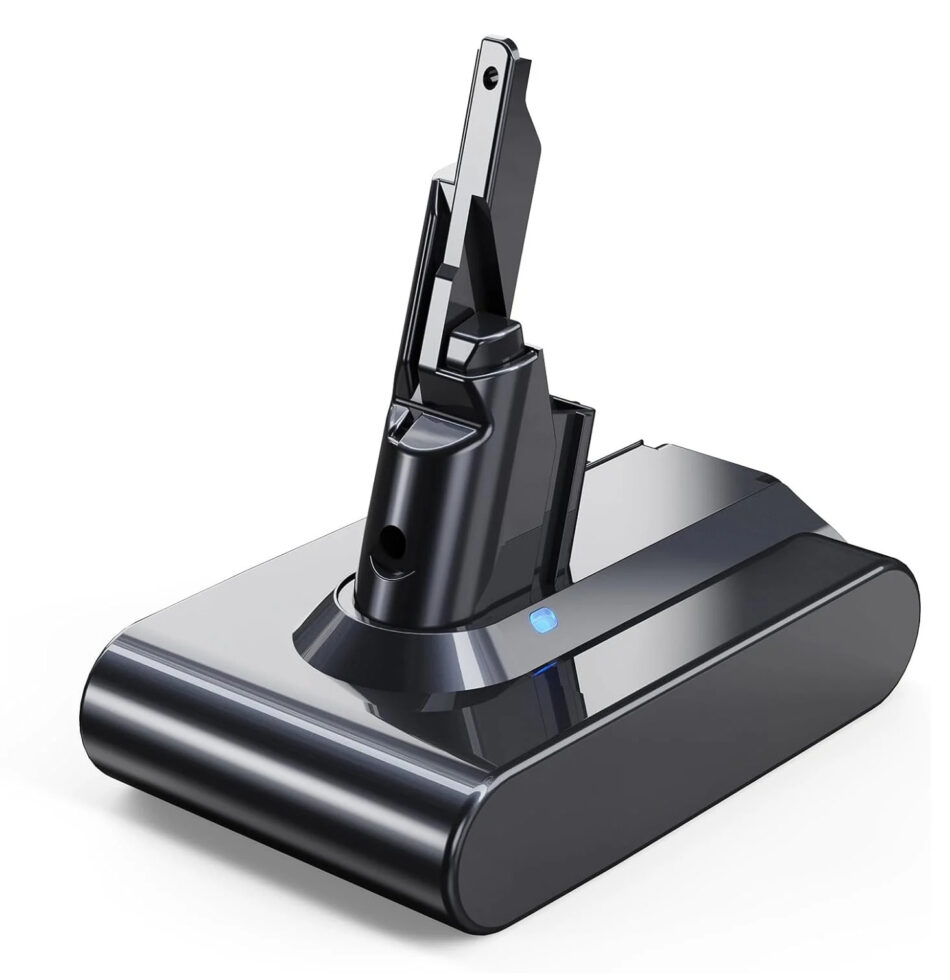
If you own a Dyson V7 cordless vacuum, you know how convenient it is to move around without worrying about cords. The Dyson V7 Battery is at the heart of that convenience. Over time, even the best batteries lose their charge, reducing runtime and suction. Replacing the battery or maintaining it properly ensures your vacuum continues to perform reliably.
Dyson V7 Battery Basics
The Dyson V7 Battery is a removable lithium-ion pack that powers all V7 models. Lithium-ion technology provides strong, consistent suction and lasts longer than older battery types. The V7 battery delivers around 30 minutes of runtime in standard mode, and up to six minutes in MAX mode for tougher cleaning tasks. Using the correct battery is crucial, as it ensures optimal suction, prevents damage, and maintains the safety features built into your vacuum.
Signs You Need a Replacement
Before buying a new battery, check if your current one truly needs replacement. Common signs include:
- Reduced runtime: The vacuum runs for significantly less than the usual 30 minutes.
- Slow charging: Battery takes longer to reach full charge.
- Overheating: The battery becomes excessively hot during use or charging.
- Warning lights: Flashing or unusual indicators on the charger or vacuum.
If you notice any of these signs, it’s time to consider Dyson replacement batteries.
Choosing the Right Replacement Battery
When buying a Dyson V7 Battery replacement, match it to your vacuum model. Generic or off-brand batteries may fit physically, but they often deliver weaker performance and shorter lifespan. Official Dyson replacement batteries ensure:
- Full compatibility with V7 models.
- Built-in safety features like short-circuit and overcharge protection.
- Consistent suction comparable to a brand-new vacuum.
How to Replace Your Dyson V7 Battery
Replacing your battery is straightforward. Here’s a step-by-step guide:
- Turn off the vacuum and remove it from the charger. Safety first.
- Locate the battery release button at the base of the handle.
- Slide the old battery out gently. No force or twisting is needed.
- Insert the new battery by aligning the contacts and sliding it into place until it clicks.
- Charge fully before first use to balance the cells and maximize runtime.
Once installed, your vacuum should perform like new, restoring the original runtime and suction.
Maintaining Your Dyson V7 Battery
Even the best batteries degrade over time. Proper maintenance extends battery life. Here are some tips:
- Charge fully but don’t overcharge: Lithium-ion batteries do not need to stay on the charger once full.
- Avoid extreme temperatures: High heat or freezing cold can damage battery cells.
- Use regularly: Batteries maintain performance when used frequently. Leaving them idle for long periods can reduce capacity.
- Keep contacts clean: Dust and debris can block electrical connections. Wipe contacts occasionally with a dry cloth.
Extending Runtime Between Charges
If your cleaning sessions are longer than your battery allows, consider these strategies:
- Use standard mode for general cleaning: MAX mode consumes more power and reduces runtime.
- Plan your cleaning: Charge the vacuum fully before starting, and divide large tasks into smaller areas.
- Keep a spare battery: Having a second Dyson V7 Battery ensures you can swap batteries mid-cleaning for uninterrupted performance.
Recycling Old Batteries
Don’t throw old Dyson batteries in the trash. Lithium-ion batteries require proper disposal to prevent fire hazards and environmental damage. Dyson offers recycling programs for old batteries, or you can take them to a local recycling center that handles lithium-ion packs.
Common Questions About Dyson Replacement Batteries
- Can I use a battery from another Dyson model? No. Batteries are designed for specific models. Using the wrong battery may damage the vacuum or reduce performance.
- How long does a new Dyson V7 Battery last? Typically, a new battery should maintain full performance for 1–2 years with regular use. Proper maintenance can extend its life.
- Is it safe to use third-party batteries? Only buy from reputable sources. Low-quality replacements may overheat, have poor runtime, or lack safety features. Official Dyson replacement batteries remain the safest option.
Troubleshooting Battery Issues
If your Dyson V7 isn’t performing well after installing a new battery, check:
- Proper seating: Ensure the battery clicks into place securely.
- Charging connection: Confirm the charger and vacuum contacts are clean.
- Software reset: Some models need a brief reset after battery replacement. Remove and reinsert the battery after a few seconds.
Conclusion
The Dyson V7 Battery is the core of your cordless vacuum’s performance. Understanding runtime, proper replacement, and maintenance ensures you get the most out of your vacuum. Keep your battery in good condition, replace it when signs of wear appear, and consider keeping a spare for uninterrupted cleaning. Following these tips keeps your Dyson V7 working reliably, making household cleaning less of a chore and more of a quick, efficient task.


